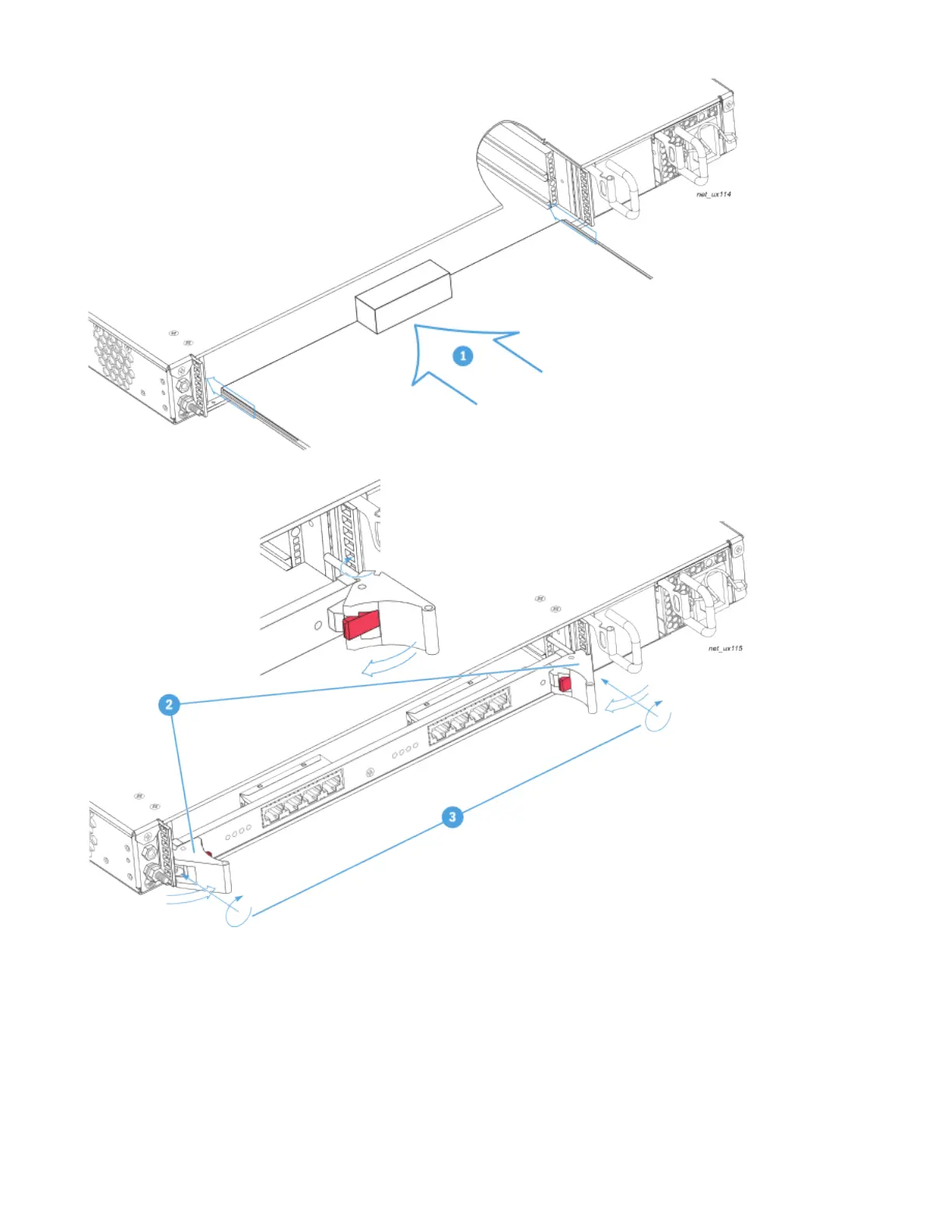
1.
2.
Installing Ground Wire, Power Cables and Connect Power
After you have completed the physical installation of the UX chassis, connect the grounding wire and power cables
To Install the Grounding Wire and Power Cables
Connect a grounding wire to the grounding bolt on the left side of the rear panel, in accordance with .System Grounding Requirements
Connect power cords to the power supply and electrical sockets.


 To Next Page