Chapter 3 – Setting Up Your MindWave
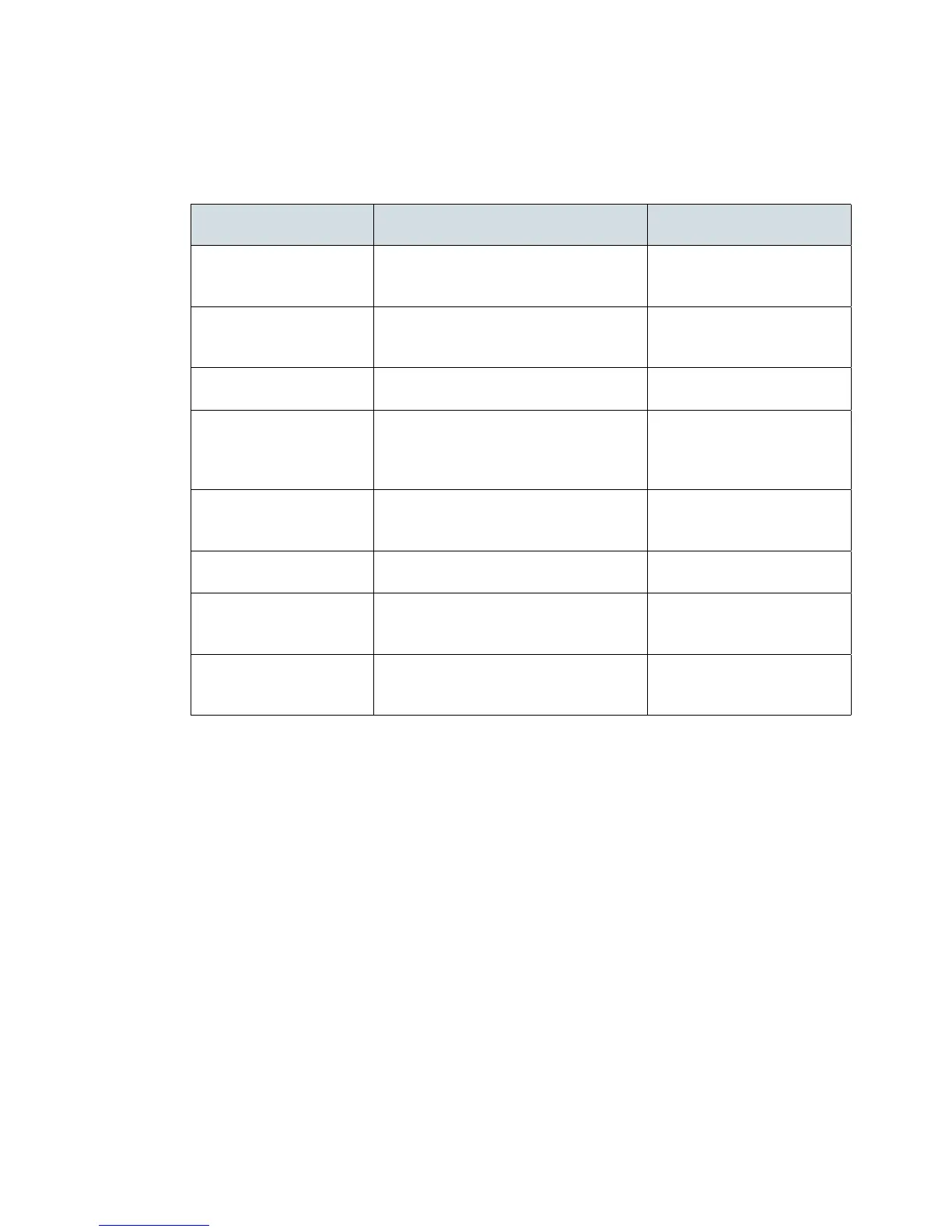
RF Connection Troubleshooting
Common causes for RF pairing failures and possible solutions:
Problem Cause Solution
Pairing failed Low battery Replace the AAA battery in
the MindWave with a new
battery
Strong radio interference Extend the RF dongle using
the USB extension cable and
place it near the headset.
Light on dongle does not
turn from red to blue
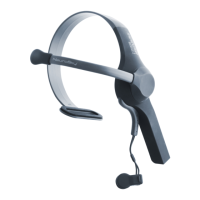
MindWave is not turned on Turn the MindWave on
Light on the dongle does
not return to red after
turning off the Mind-
Wave
It will take some time for the dongle
to turn red after turning off all Mind-
Waves
Normal operation
Light on Wave headset
does not turn from red to
blue
Dongle is not plugged in Plug in the RF Dongle
Dongle drivers are not installed Install the RF Dongle
drivers
Dongle has already paired with a Wave
(dongle blue light)
Unplug the RF Dongle from
your computer, and then
plug it back in
Strong radio interference Extend the RF dongle using
the USB extension cable and
place it near the headset.
RF Connection Troubleshooting
September 10, 2010 | © 2009 NeuroSky, Inc. All Rights Reserved.
12



 To Next Page