7
Time Function
STANDARD TIME FUNCTIONS
1. Main Time - Main time is the time displayed to keep track of game time.
2. Period – A number to keep track of which period the game is on.
3. Time Out – Time Out consists of 5 settable timers used to time a time out.
4. Time Of Day – The MPCW-7 will keep track of time of day.
TIME CONTROLS
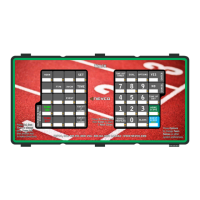
The standard keys used for time control.
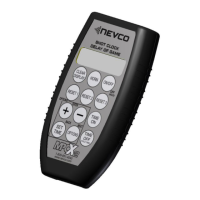
Hand Held Switch
Two Position Switch
• Right is Time On Left is Time Off
Horn Switch
• Press to sound horn
• Release to silence the horn
• Horn will sound for up to 4 seconds
Indicator Light
• Flashes when connected to a powered up MPCW-7
TIME ON Key
Turns Main Time on and can be used to turn on the Aux timer and Segment Timer if used.
TIME OFF Key
Stops Main Time and can be used to stop the Aux Timer and Segment Time if used.
Note:
1. Aux timer and Segment timer are fully explained in the OPTIONS section of this manual
2. The Time On and Time Off keys are disabled if the hand held time control switch is plugged in to the control.
3. To make these two keys active again, turn the control power off, disconnect the hand held time control switch, and
restart the control.
TIME Key
Press to return to main time screen.
Press from main time screen will display aux timer.
Press from aux timer screen to return to main time screen.
PERIOD Key
Press PERIOD to set the game period.



 To Next Page