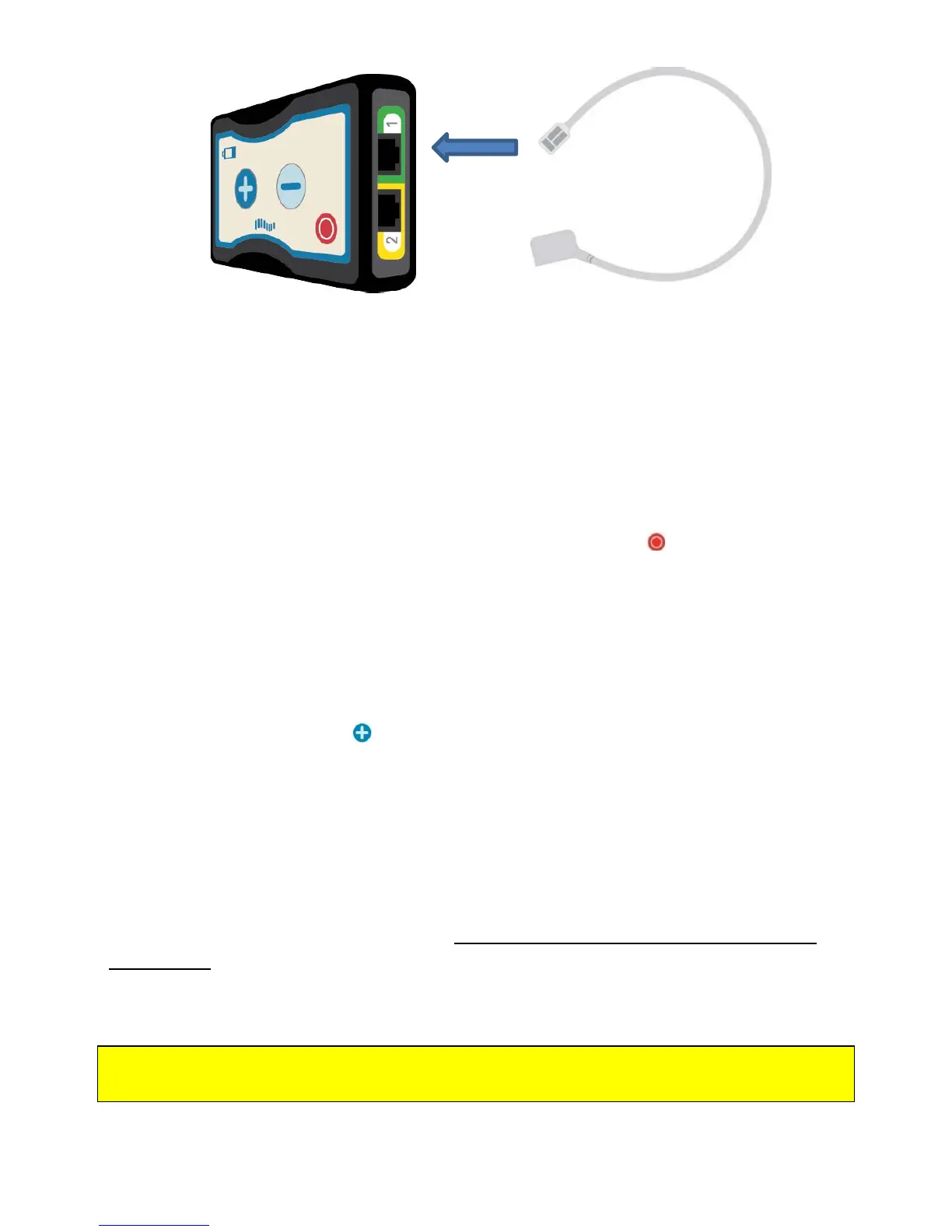
3. Plug that end of the OR Cable into the Trial Stimulator port of the same color.
You will hear a click when the cable is fully inserted into the port.
4. Repeat for the other OR Cable.
Trial Stimulator Alert
If the Trial Stimulator is set up but cannot deliver therapy, it will sound an alert. This
alert will sound until you press the red Stimulation OFF Button on the Trial
Stimulator. Pressing the red button turns therapy OFF.
A frequent reason for the Trial Stimulator alert is one or more loose connections.
Check that both OR Cables are properly in place and securely plugged in. If a cable is
loose or disconnected, plug it in securely. Double-check that the OR Cables are in the
correct port (match colors on the cable to color of the port). Once you are sure that
the OR Cables are correctly in place, turn stimulation ON by pressing the plus sign
Stimulation Increase Button and try again.
If you still get the alert sound, then the Trial Stimulator cannot deliver therapy.
Contact your doctor.
Trial Stimulator Batteries
Your Trial Stimulator uses a special type of battery that is provided by Nevro. These
batteries have a distinctive purple color.
Do not use any other batteries in the Trial
Stimulator. Use only the batteries provided by your doctor or a technician. If you use
another type of battery, you may damage the Trial Stimulator.
WARNING: Do not use any batteries in the Trial Stimulator except the purple batteries
from Nevro.
Patient Manual 11052 Rev A (2015-01-16) 23



 To Next Page