The Remote Control will turn itself OFF anytime it is not in use for two or more
minutes. Simply turn it back on when you are ready to use it again.
Remote Control Batteries
Your Remote Control should come with batteries already installed. It uses two AA
alkaline batteries.
Never use any other type of battery with your Remote Control
because this could damage the device.
WARNING: Use only two AA alkaline batteries in the Remote Control; any other type
of battery could damage the device.
How to Change the Batteries in the Remote Control
Make sure the Remote Control is OFF; it turns itself OFF automatically if it is not
touched in one minute. Or, you can you push the yellow ON/OFF Button on the top
left corner.
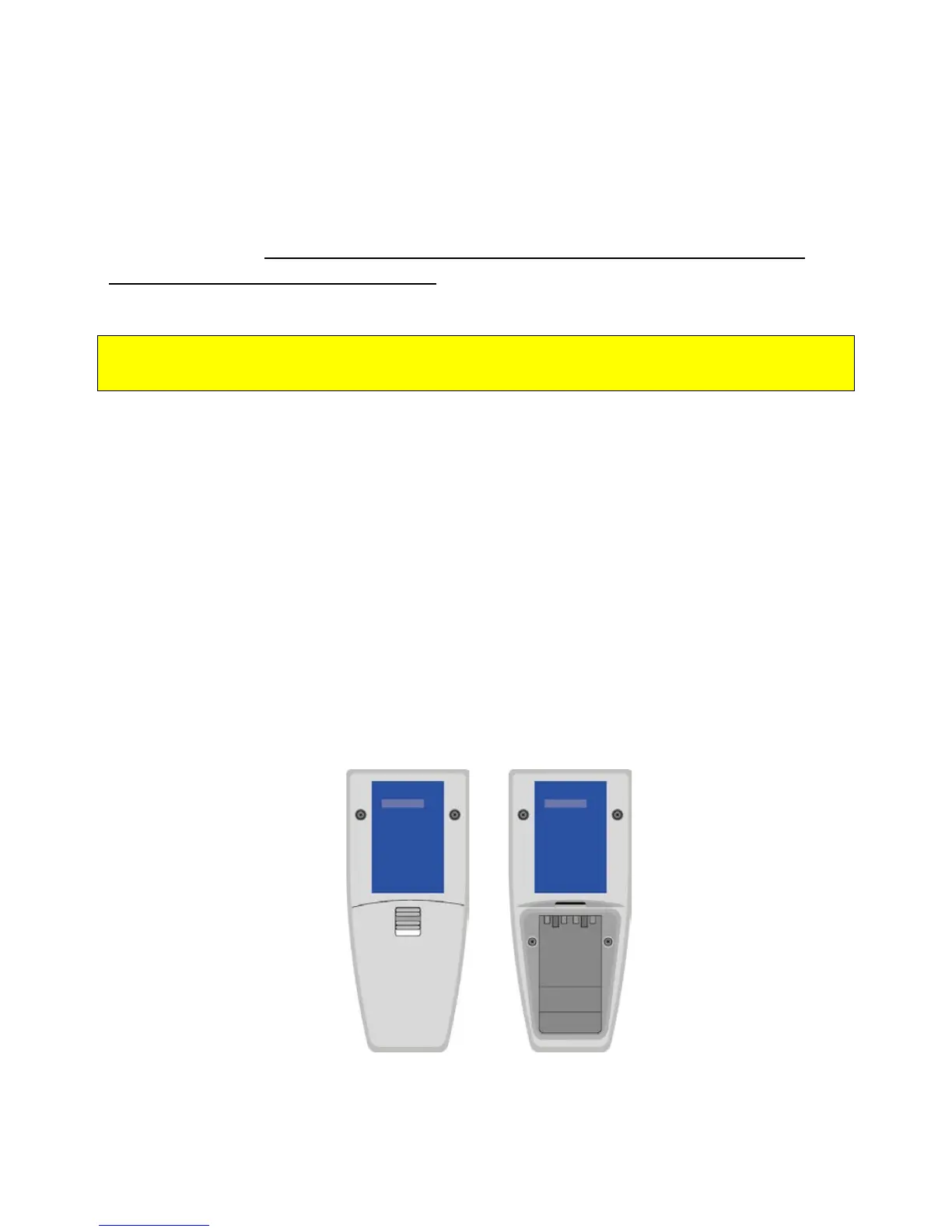
1. Turn the Remote Control over and remove the battery compartment cover.
2. Remove the two old batteries.
3. Double check that the new batteries are AA alkaline batteries. Do not use any
other type of battery.
4. Insert the batteries as you would in any device, matching the positive ends of
the battery to the positive symbol in the battery compartment.
5. Replace the cover; the battery compartment should always be covered.
Patient Manual 11052 Rev A (2015-01-16) 26



 To Next Page