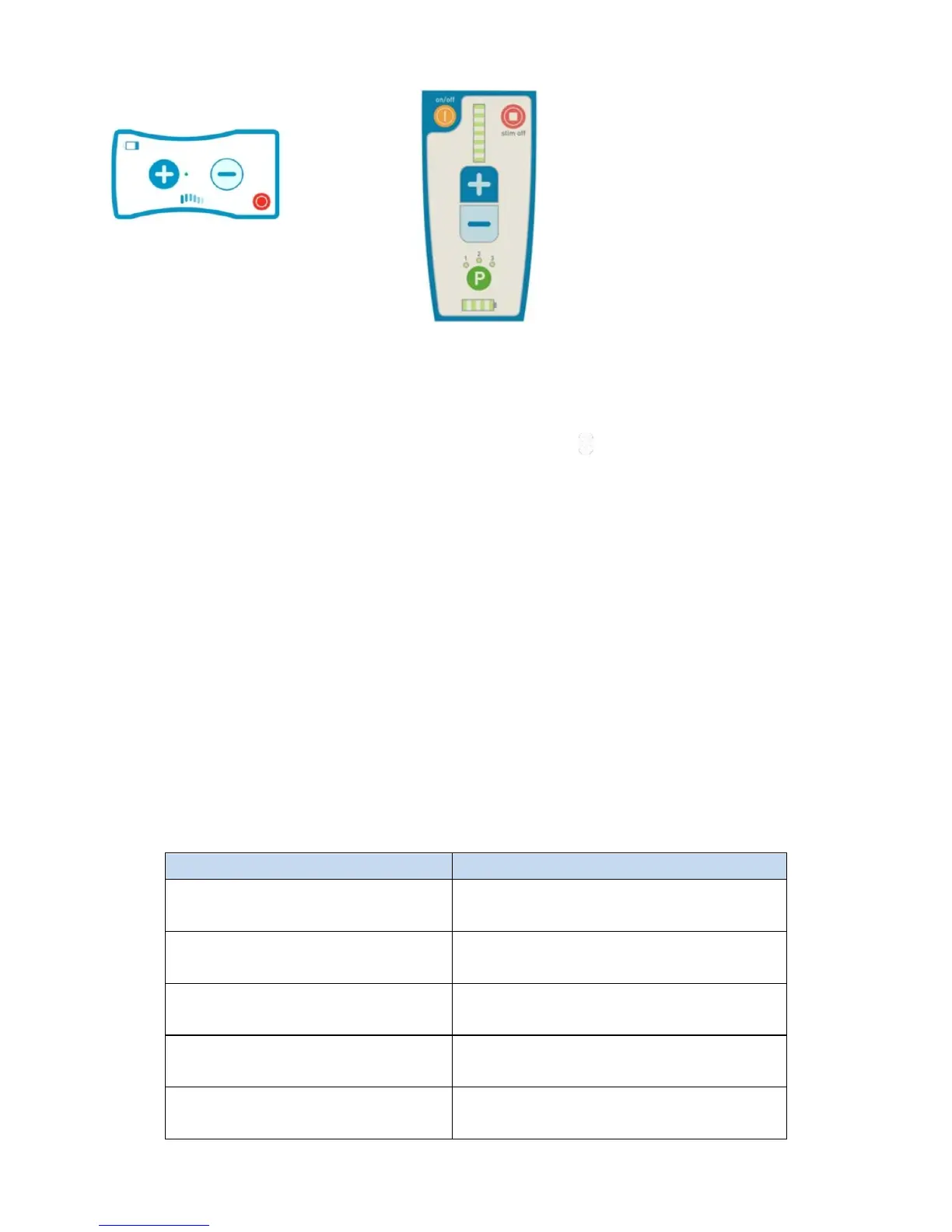
Increasing or Decreasing Stimulation Strength
Follow the directions given to you by your doctor when changing the stimulation
strength. The stimulation you receive can be made more or less intense using the Trial
Stimulator or the Remote Control. To increase stimulation strength, press the plus sign
button repeatedly until you reach the stimulation strength you want. Your doctor has
programmed a maximum stimulation strength into the device and it cannot be made
to stimulate more intensely than that. To decrease the stimulation strength, press the
minus sign button.
When you change stimulation strength, you will hear some beeps. The table below
explains what the beeps mean.
This confirms that the plus sign or
minus sign button has been pressed
Stimulation has increased or
decreased by one level
You have reached the highest or
lowest stimulation level possible
The device cannot respond the way
you want
One of the cables on the Trial
Stimulator is loose
Turn stimulation ON: press the
plus sign. The lights will flash
when it is stimulating.
Turn stimulation OFF: press the
red button.
To turn stimulation ON from the
Remote Control, first turn the
Remote Control on by pressing the
yellow ON/OFF Button for up to five
seconds. One long beep sounds to
tell you the Remote Control is on.
Once the Remote Control is ON;
Turn stimulation ON: press the plus
sign.
Turn stimulation OFF: press the red
button.
When the device is stimulating, you
will see at least one of the LED lights
Patient Manual 11052 Rev A (2015-01-16) 28



 To Next Page