User Manual
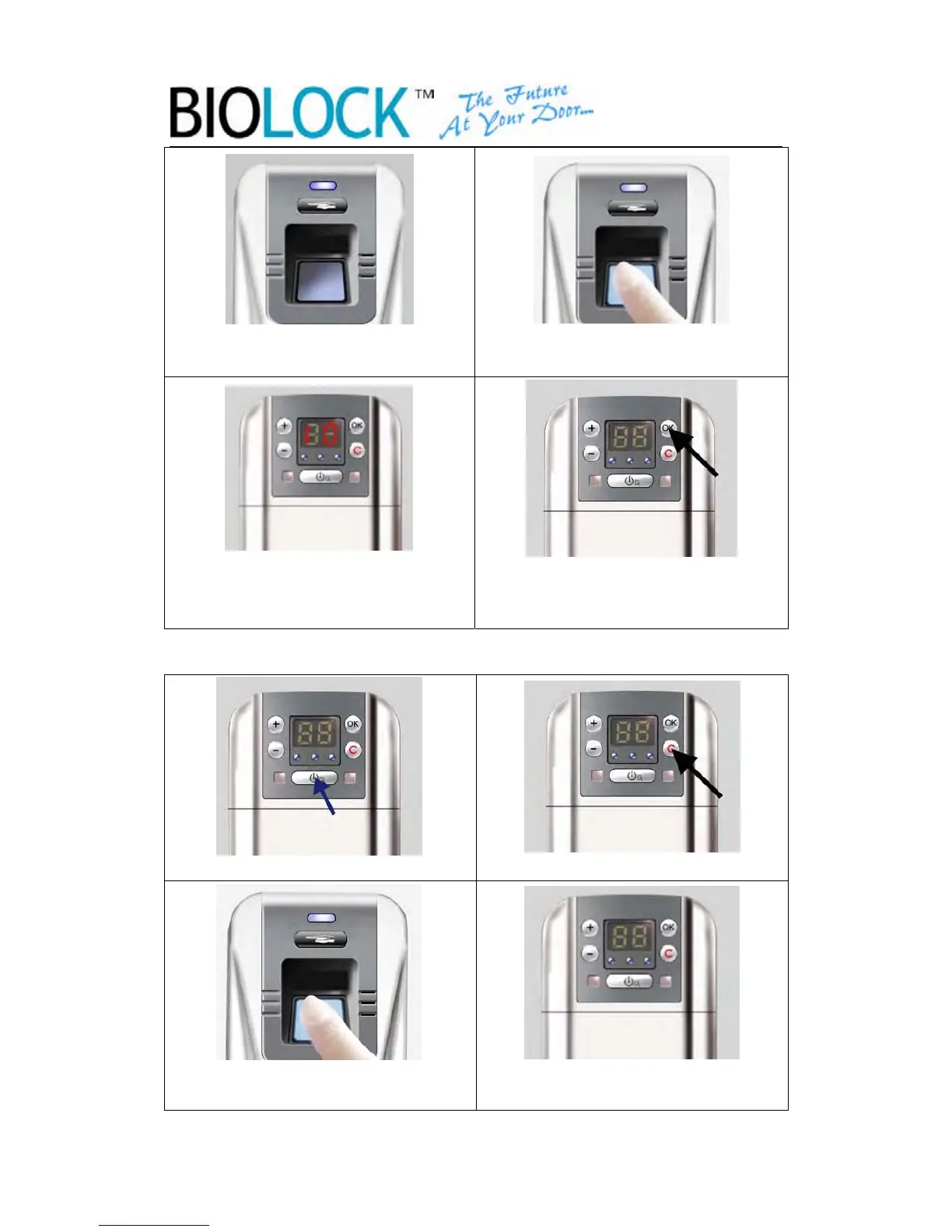
3.The reader will light after the beep. 4.Verify the super master or master
finger to get access
5. User number is displayed, Choose
the user you want to cancel by “+” or
“-” key。
6.Select the user then press OK
2.6 Clear all users
1.Press the indoor Power Key 2.Press the Clear Key
3. Place the fingerprint of the
Super Master
4.After the beep, all fingerprints
will be canceled
-11-


 To Next Page