User Manual
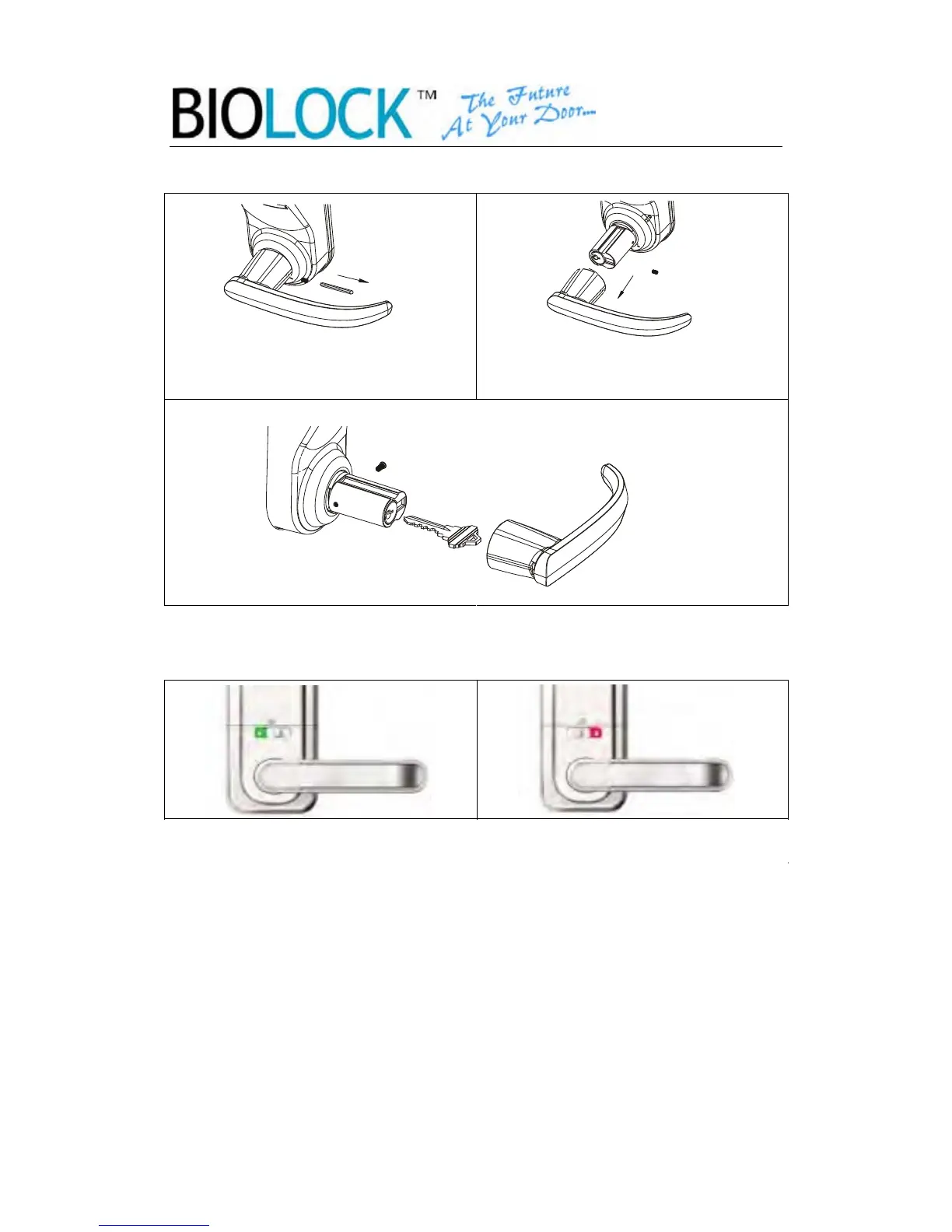
2.7.3 Unlock by key
1. Remove the screw with
included allen wrench
2. Remove the Handle and you will
see a key hole
3. Insert the key and turn to open
2.8 Normal Open & Normal Close Setting
The lock has a “Passage Mode Key” which allow you to keep the door open.
2.9 Low battery alert
When the battery is below 4.3 V, the lock will send a signal after any operation.
The indicator beeps for 15 times within 3 times in unite. You still be able to use
the lock more than 50 times. Change the battery quickly.
-13-
Normal Open Normal Close
Switch the lock to “Normal Open”. Then simply press the power key, and your
door will unlock. It will lock again after 5 sseconds. To set unlock by fingerprint
mode, switch the lock to Normal Close, and now the lock will require a
registered fingerprint to unlock.


 To Next Page