13-May-13 Phone: 1.800.325.7867 Fax: 1.636.925.0029 www.newcocoffee.com
2
Section 1 – Installation Instructions and Warranty Policy
Section 2 – Set-Up Programming Instructions
Section 3 – Service Level Programming Instructions
Section 1
Installation Instructions:
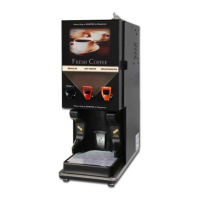
Place Machine on a Level Countertop Surface
Connect ¼ Inch Flare water Supply to the Water Inlet located on lower Left Rear of the Machine.
(NEWCO recommends copper tubing for use as water supply to all of our brewing equipment)
Turn water Supply On
Plug or wire brewer to the appropriate voltage circuit as indicated on the serial tag.
Locate power switch on the upper right rear of the machine and turn machine power on.
Machine will begin to fill.
If machine has not filled to probe level within 6 minutes it will enter an error mode. Error code
E-4 will appear on the display screen. To reset the error and resume filling turn power switch
off and then on.
When water in tank reaches probe level, heating cycle will begin.
You are now ready to proceed to Set-Up Programming.


 To Next Page