13-May-13 Phone: 1.800.325.7867 Fax: 1.636.925.0029 www.newcocoffee.com
9
To Program a selector switch:
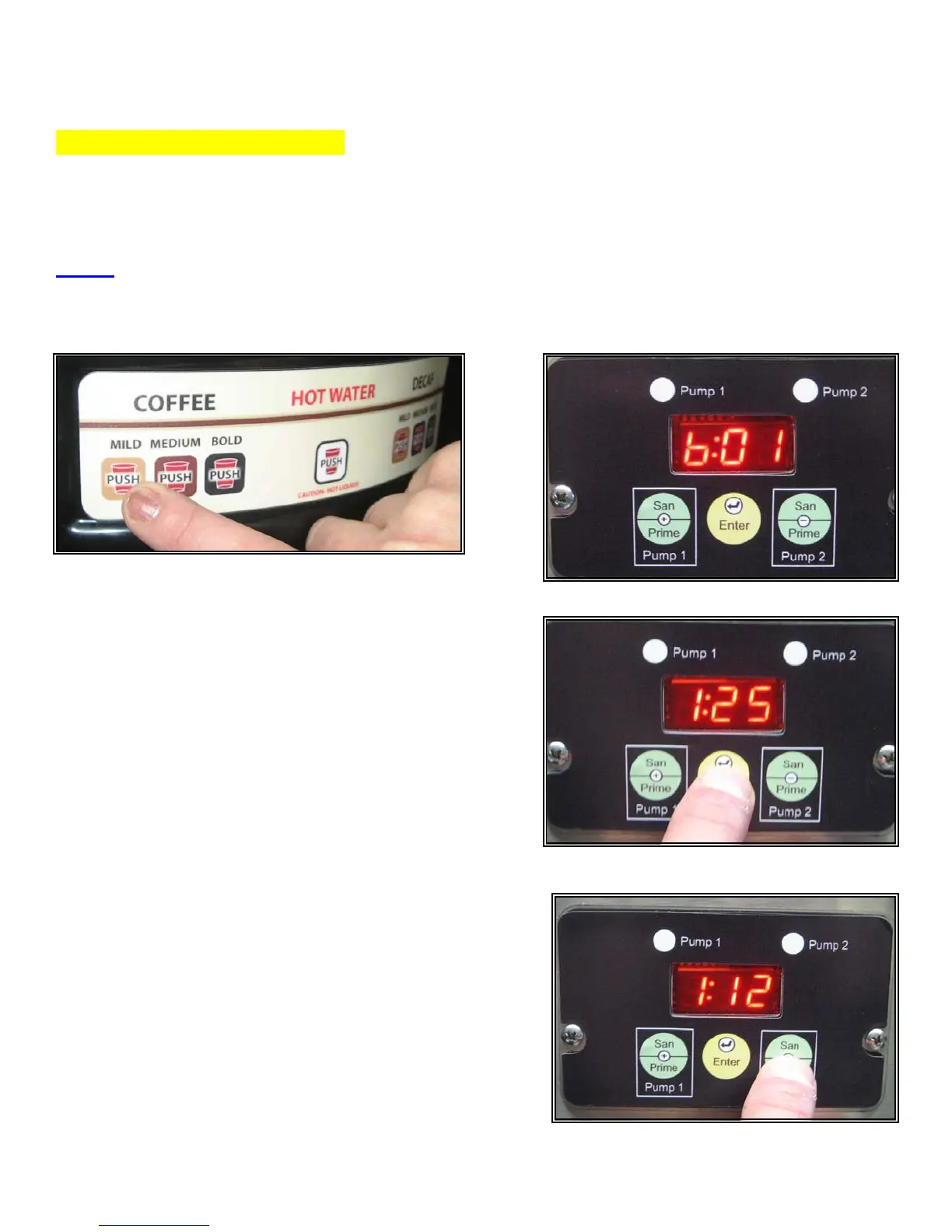
• On the 7-selector switch control panel, press the switch that you want to program. The display
will change to identify the switch that you have chosen. (b01 thru b06 are the switch
identifiers.) See figures 9 & 10.
NOTE: The optional liquid coffee dispensing unit with a stainless front door uses handles. These act
as buttons for programming. Pulling and holding down the handle acts in the same way as pressing a
button. The center handle is for hot water only and cannot be used for programming.
• Press Enter. The number “1” and the current
speed for pump 1 will appear in the display. As
shown in figure 11.
• Using the + or – button to scroll, set Pump 1 speed
for the desired ratio using chart A above as a
guide. (If blending two products, use chart B as a
guide.) As shown in figure 12.
Fig 11
Fig 12
Fig 10Fig 9



 To Next Page