13-May-13 Phone: 1.800.325.7867 Fax: 1.636.925.0029 www.newcocoffee.com
13
Prime Pump Feature:
This feature allows you to enter directly into a Prime Pump mode without sanitizing.
Press the - switch to enter the Prime Pump mode.
Follow the same Prime Pump procedures from Sanitizing Instructions.
BIB Counter Auto-Reset Feature:
If enabled during the “Set-Up Programming” of the machine a buzzer alarm will sound once per
second to indicate that a product BIB is empty.
Entering into a Prime Pump mode turns off the alarm.
Only reset the pump shown on the display.
BIB tracking is automatically reset when the pump is primed.
Product Installation Procedures:
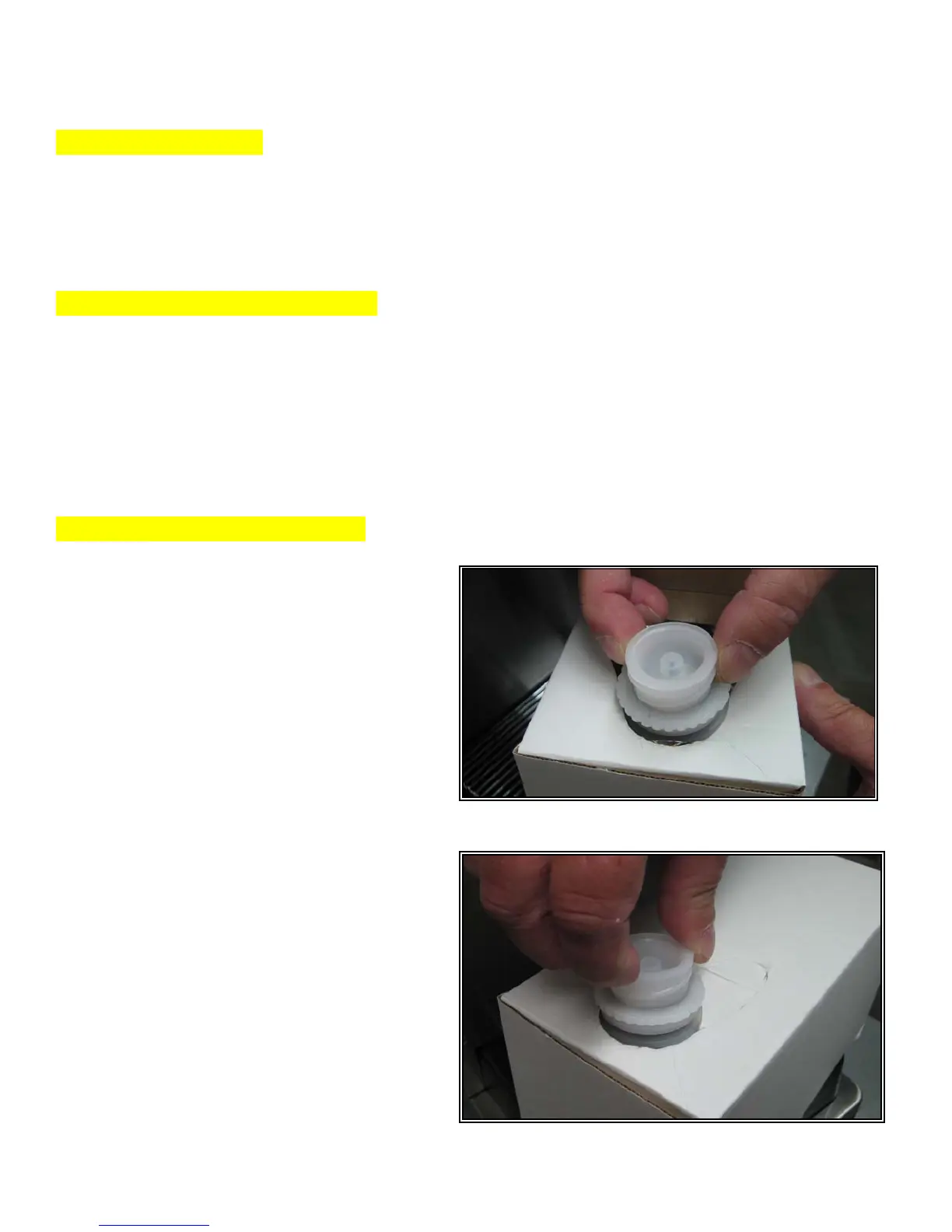
• Open the cutout on the product box
and position the BIB fitment into the
slotted area as shown in figure 1.
Remove the plastic insert from the BIB fitment
as shown in figure 2.
Fig. 1
Fig. 2



 To Next Page