15
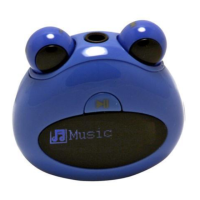
(7)Turn the Right Eye left and right to select the “Record”folder and
press the “M”button to open it.
(8)Turn the Right Eye left and right to select the “Voice”folder and press
the “M”button to open it.
(9)Turn the Right Eye left and right to select the recording file and then
press the “M”button to play it. For detail information about playing voice,
refer to the “Playing Music”section.
Explorer
To browse all files stored in the player,
(1)Press and hold the “M”button to display the main menu.
(2)Turn the Right Eye left and right to select “Explorer”,and press the
“M” button to confirm.
(3)In the file explorer mode, turn the Right Eye left and right to select a


 To Next Page