JAN 2024 Page | 8
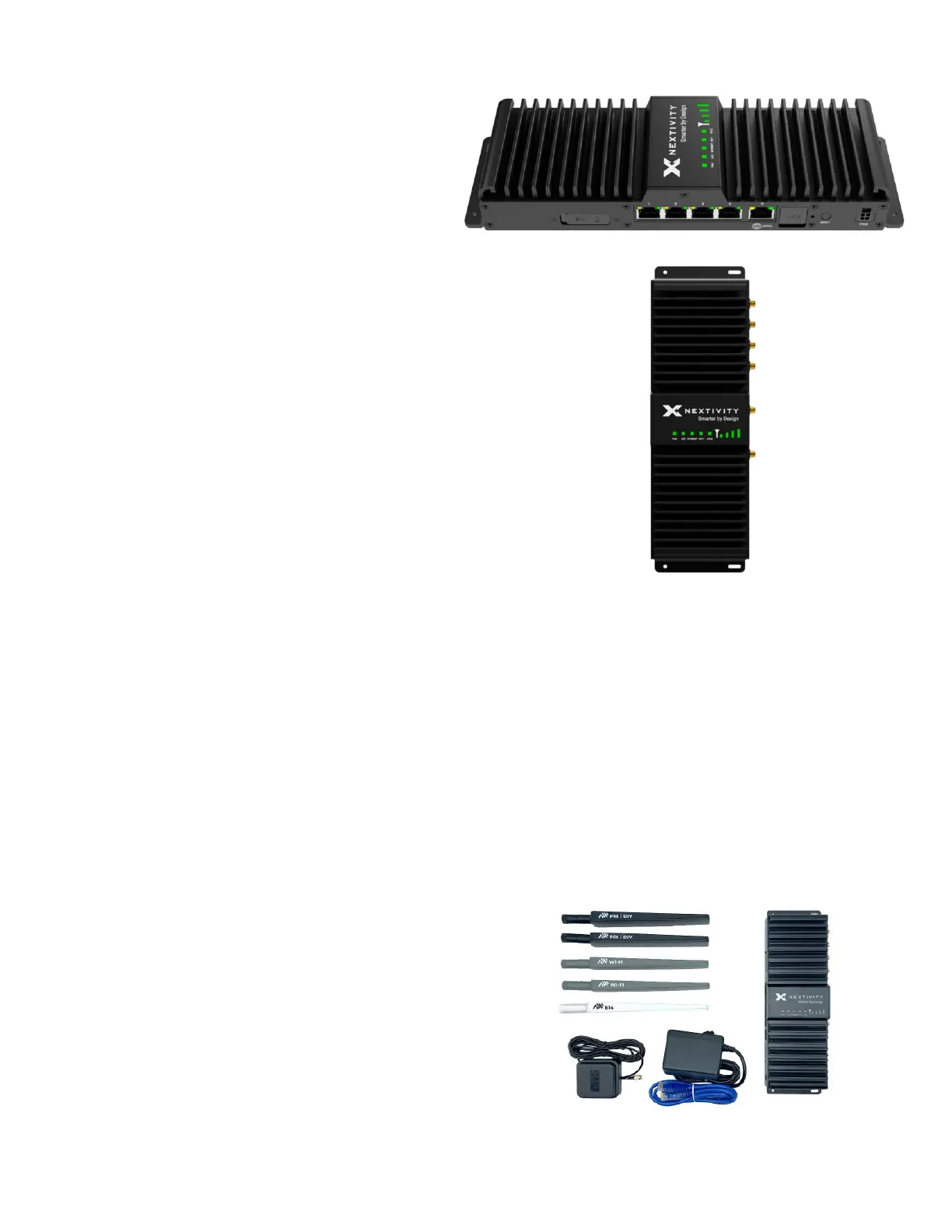
On the other side of the device, there are:
• Four (4) local-area network (LAN) ports
• One (1) wide-area network (WAN) port
• SIM Slot
• USB Connector
• Reset Button
• Power Port
On the top of the device, there is an LED section that has lights for:
• PWR
• GPS, Internet
• Wi-Fi
• High Power User Equipment (HPUE)
• Signal Strength Bars
Underneath the device, you will find a label that shows the following
information:
• Model
• IMEI
• Serial Number
• MAC address
• Default IP address
• User: admin (default) and unique password
• SSID and password (default values)
• QR code
• *An example of the label and QR code can be found in section 5.13: Dimensions
1.2 What’s Inside the Kit/Box
The SHIELD MegaFi comes in two (2) different kits. The different kits with their respective list of parts
are listed below.
SHIELD MegaFi Fixed Kit:
• High Power MegaFi Router
• AC power adapter
• SIM Ejector Tool (not pictured)
• Ethernet cable
• Paddle antennas – 2x PRI/DIV (black), 2x
Wi-Fi (gray), 1x B14 (white)
• GPS antenna
• Quick Start Guide for quick router
configuration and connection (not pictured)



 To Next Page