14
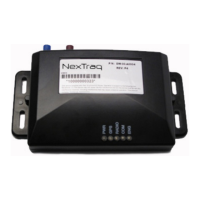
coverage is provided by the presence of solid blue lights on the face
of VT-2200. When VT-2200 is operating correctly, there should be a
solid blue light on PWR, GPS and COM. Note: the radio LED will flicker
while transmitting.
1. Login to the NexTraq application
2. Verify the VT-2200 is operational and displayed in the
application.
3. Check the recent history in NexTraq to verify the unit is
operational.
If you have a Web-enabled cell phone or Internet Explorer, go to
http://www.marcusinstall.com and verify operation. Login information
is required to verify this operation. If you don’t have your login
information, please contact customer service.
Installation Troubleshooting
VT-2200 will not power up.
• Check connection to power supply.
• Check fuse holder for voltage.
• Check with volt meter that there is 12-volts on the red power
wire at the plug end.
• Make sure the unit is properly grounded snuggly to a non-painted
metal surface (chassis ground).
Vehicle will not appear in NexTraq Web application.
• Be sure PWR, GPS and COM are on and solid blue. Check that the
ignition light tracks the vehicle ignition.
• Check to see if the radio light flickers when the ignition is
turned on or off.
• Check power on mobile.
• Be sure to view the correct mobile in the NexTraq Web
application.
• Check antenna connections and placement.
• Drive the vehicle for more than two miles at 30 mph.
GPS light blinking or not on at all.


 To Next Page