COMPASS English
5-17
4.5
Sub-functions
Select sub-function with PLUS or DOWN.
Information text for the sub-function is displayed. You may also
”park” your favourite function so it will automatically be displayed
after power on.
Press PAGE and SET together to ”park” the displayed function.
The display will flash once to confirm that you have ”parked” the
function.
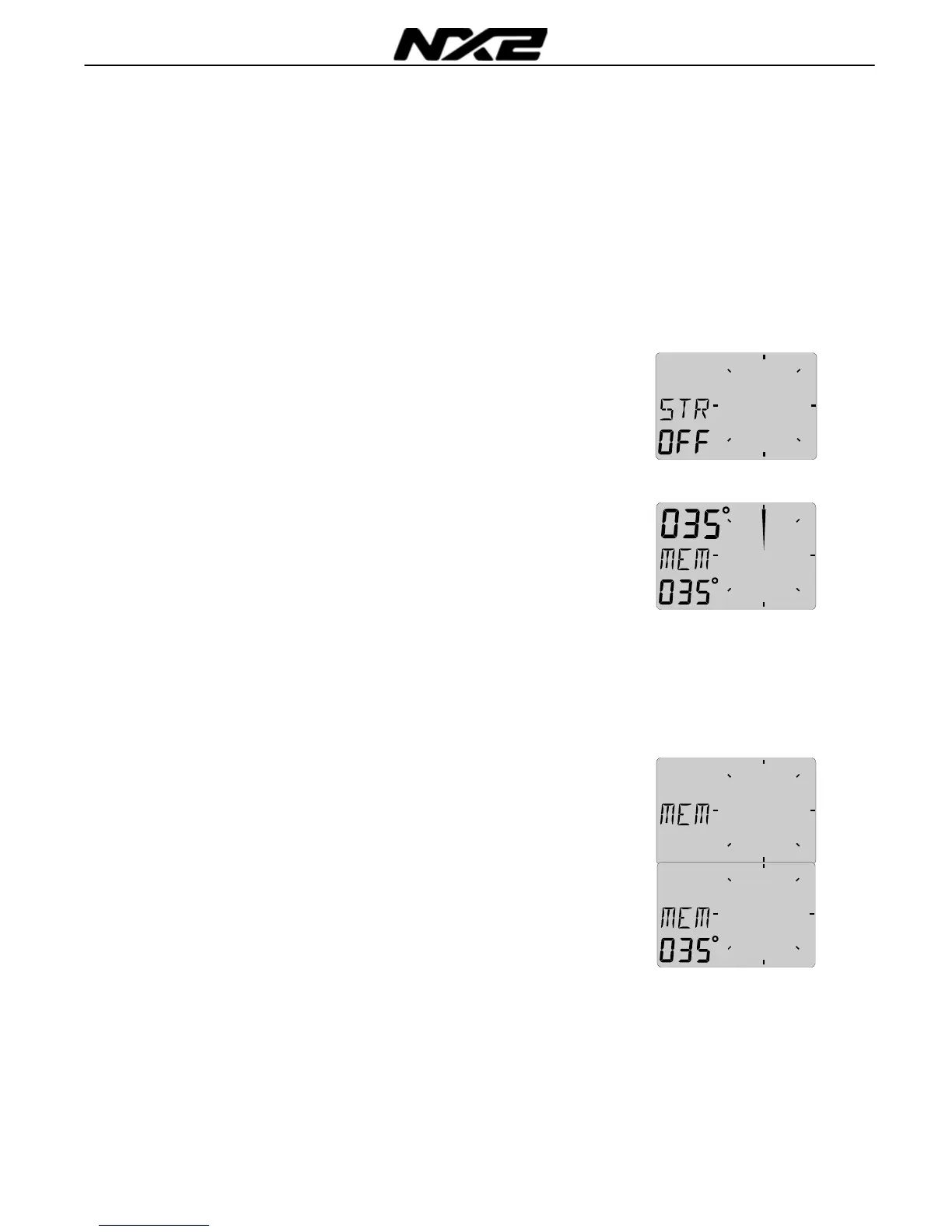
4.5.1 Set a steer (STR) reference direct in MEM
The text [STR] and [OFF] is displayed.
This function is used when setting a course to steer.
1. Press SET to set your present course as reference. The text
MEM is then displayed together with the set course.
2. Select STEER mode by pressing PAGE
The boat is on course when the LCD pointer is displayed as
a vertical line strait up. A course deviation is displayed as a
filled sector.
The LCD segments will lit up one by one to form a ”course
deviation” sector of max +/- 30°. Every new press on SET will set a
new course in MEM
4.5.2 Set a numeric steer reference (STR) in MEM
The text [STR OFF] or [MEM] (if activated), is displayed.
1. Press CLEAR. The text [OFF] or [MEM] is flashing.
1. Select [MEM] with PLUS or MINUS and press KEY, now, a
copy of your present course is flashing, allowing you to adjust
the course to steer.
2. Use PLUS or MINUS to change value, use PAGE to move to
next figure. When set, confirm with SET.
3. Select steer [STR] mode by pressing PAGE
The MEM function can also be used for racing since it is
supporting both a starboard and a port memory. Se chapter
4.5.7 regarding TACTICAL use.



 To Next Page