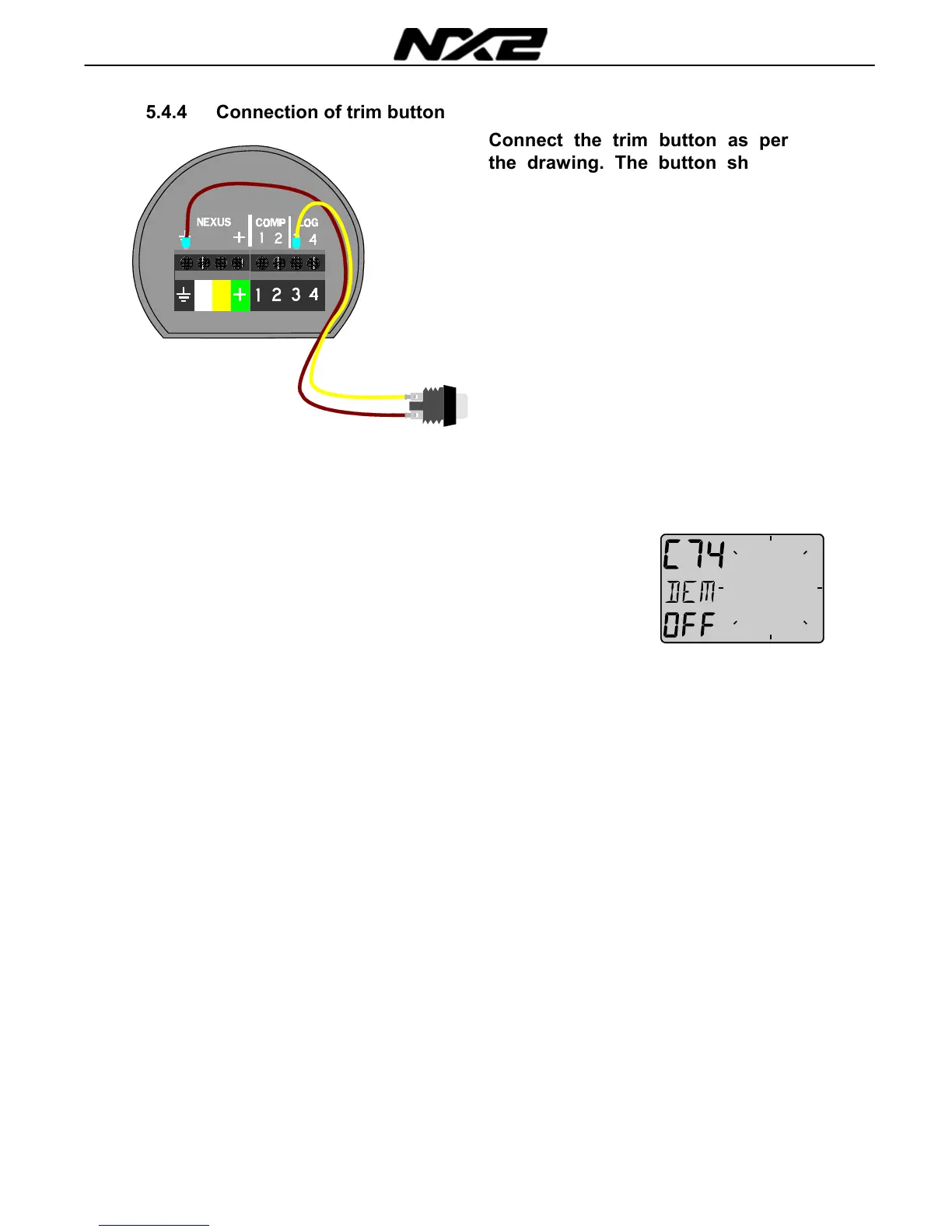
5.4.4 Connection of trim button
Connect the trim button as per
the drawing. The button should
make a short connection when
pressed. It is also possible to
connect more than one button in
parallel, for example one on
starboard and one on port side.
Article number
for the push
button:19763.
5.4.5 C74 Demo mode
The Compass Data instrument has a built in demonstration mode.
All values are simulated in this mode. It is convenient to learn the
functions of the instrument by using this mode.
Every 7th second the text DEM will appear to alert you that demo
mode is selected.



 To Next Page