
 Need help?
Do you have a question about the Night Owl F SERIES and is the answer not in the manual?
Details PC/MAC and mobile device requirements for software compatibility.
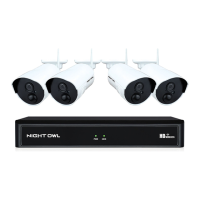
Lists all items included in the DVR package for the user.
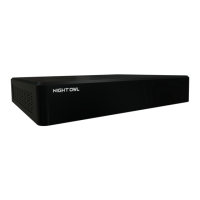
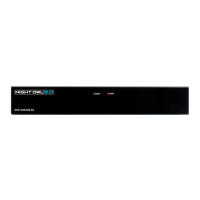
Illustrates front and rear views of the DVR with port labels.
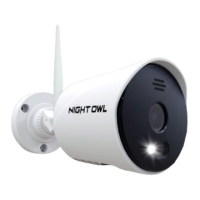
Shows a diagram of a typical camera with its components.
Illustrates the mouse and remote control with button labels.
Steps to connect camera video and audio cables to the DVR unit.
Instructions for connecting power adapters for cameras and the DVR.
Instructions on how to physically mount camera units securely.
Guide for connecting the DVR to a TV or monitor using HDMI or other video outputs.
Instructions for connecting the DVR to a power source.
Guides users through the initial DVR setup process for basic configuration.
Instructions for downloading and configuring the mobile app for remote viewing.
Details the login process and security requirements for system access.
Describes how to view camera feeds in all-channel layout.
Explains how to view and control individual camera feeds.
Overview of the main menu structure and access points for system settings.
Access display, network, and alarm settings for the DVR system.
Adjust display resolution, view setup, sequence, and transparency options.
Configure network settings like IP, DHCP, DNS, and port forwarding.
Configure motion detection zones, sensitivity, and alarm notification settings.
Adjust individual camera settings like name, color, and display properties.
Manage recording schedules, playback footage, and backup event files.
Manage HDD status, format drives, and configure PTZ camera settings.
Adjust system parameters like date, time, language, and user permissions.
Configure maintenance, hard drive space monitoring, and software upgrades.
Lists prerequisites for connecting the DVR to the internet for remote monitoring.
Guides on connecting the DVR to a router/modem for network access.
Details network setup procedures for Windows and Mac operating systems.
Explains how to forward necessary network ports on the router for remote viewing.
Guide to register a free domain name and configure DDNS on the DVR.
Lists conditions and events not covered by the product warranty.
Instructions on how to obtain service and return the product under warranty.
Provides important legal disclaimers regarding product use and liability.
Solutions for power-up failures and system not receiving power.
Troubleshooting for remote control and mouse not being detected.
Resolving issues with hard drives not being detected or being full.
Solutions for missing video or no picture on selected channels.
Addresses audio issues, system beeps, and system noise explanations.
Resolving problems with not receiving email notifications from the system.
Access website for product support, how-to videos, manuals, and firmware updates.
Technical and sales support email addresses for assistance.
Contact numbers for technical support and professional installation services.
Fields to record essential DVR information like admin password and serial number.
Space to record internet login details, DDNS, and port information.
 General
| Series | F Series |
|---|---|
| Category | DVR |
| Video Output | HDMI, VGA |
| Storage Capacity | Up to 6TB |
| Compression Format | H.264 |
| Remote Access | Yes |
| Motion Detection | Yes |
| Network Connectivity | Ethernet |
| Video Inputs | 4, 8, or 16 channels |
| Channels | 4 / 8 / 16 |
| Recording Resolution | 1080p / 720p |
| Operating System Compatibility | Windows, Mac |
| Power Supply | 12V DC |


 To Next Page