23
Scene Mode
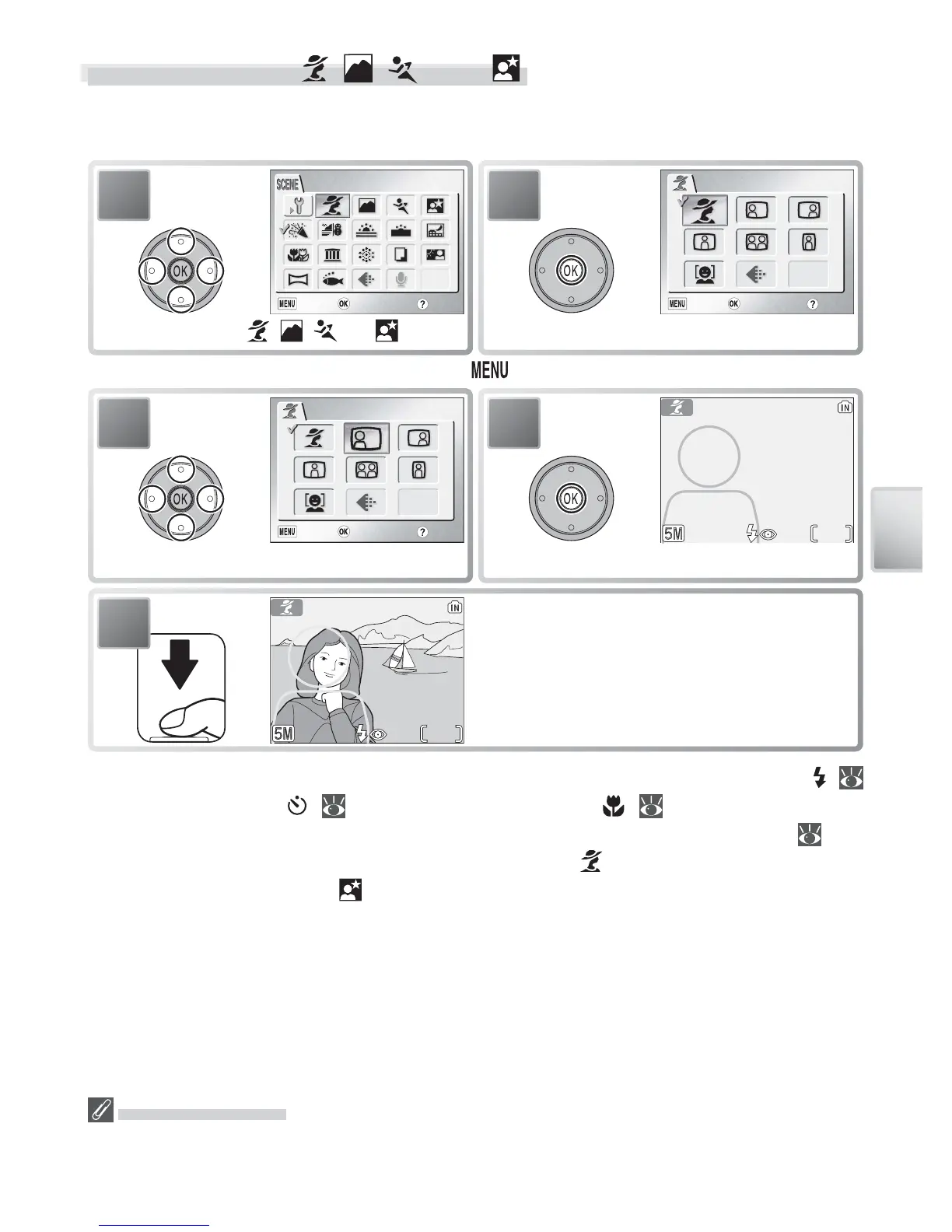
Framing Assist: , , , and
These modes offer a selection of framing assist options that allow you to com-
pose pictures with the help of framing guides displayed in the monitor.
* To exit without changing selection, press button.
1
PORTRAIT
10
Position subject in framing guides and
take picture.
5
Using the Guides
Your subject does not have to fi t exactly in the framing guides. When framing pic-
tures, pay attention to your surroundings; be careful not to trip and fall.
Depending on the mode selected, restrictions may apply to fl ash mode ( ;
18), the self-timer ( ; 20), or macro close-up ( ; 21). These restric-
tions are noted on the pages that follow. The AF-assist illuminator ( 16)
is available only when PORTRAIT is selected for (portrait assist) or NIGHT
PORTRAIT is selected for (night portrait assist).



 To Next Page
 Loading...









