75
W Recording Movies
Movies
The MOVIE menu also includes the following vibration reduction options:
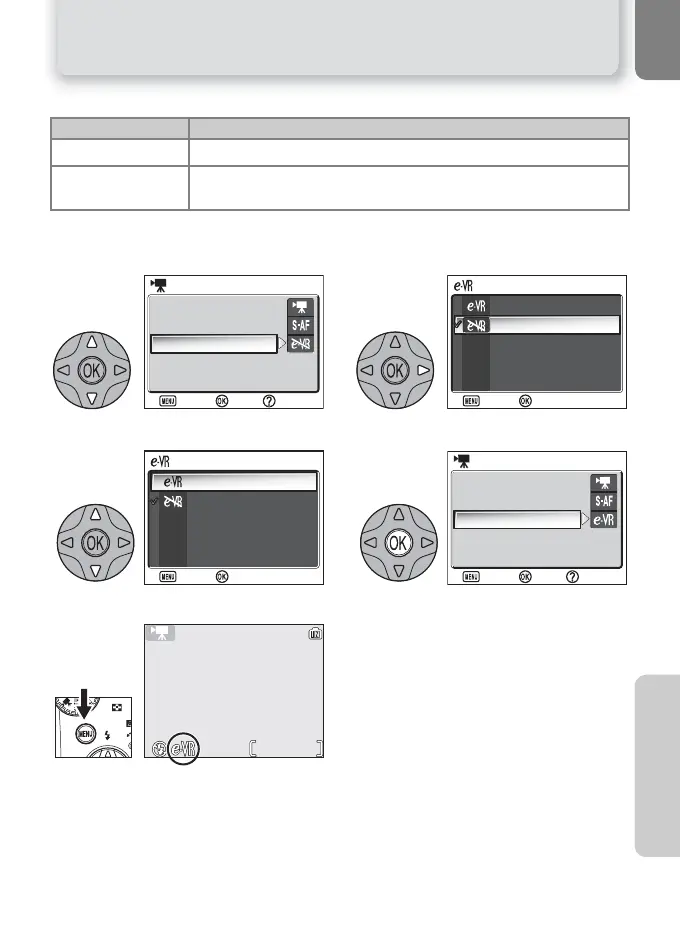
To choose a vibration reduction option from the MOVIE menu:
Option Description
U On
Reduces effects of camera shake.
V Off
(default option)
Vibration reduction off.
12
Highlight Electronic VR. Display options.
34
Highlight option. Make selection.
5
Return to shooting mode.
• When electronic VR is on, an U icon
appears in the monitor.
Help
Movie options
Auto-focus mode
Electronic VR
MOVIE
Confirm
Exit
ELECTRONIC VR
Confirm
Exit
OnOn
OffOff
Confirm
Exit
On
Off
ELECTRONIC VR
Help
Movie options
Auto-focus mode
Electronic VR
MOVIE
Confirm
Exit
0h 0m20s



 To Next Page