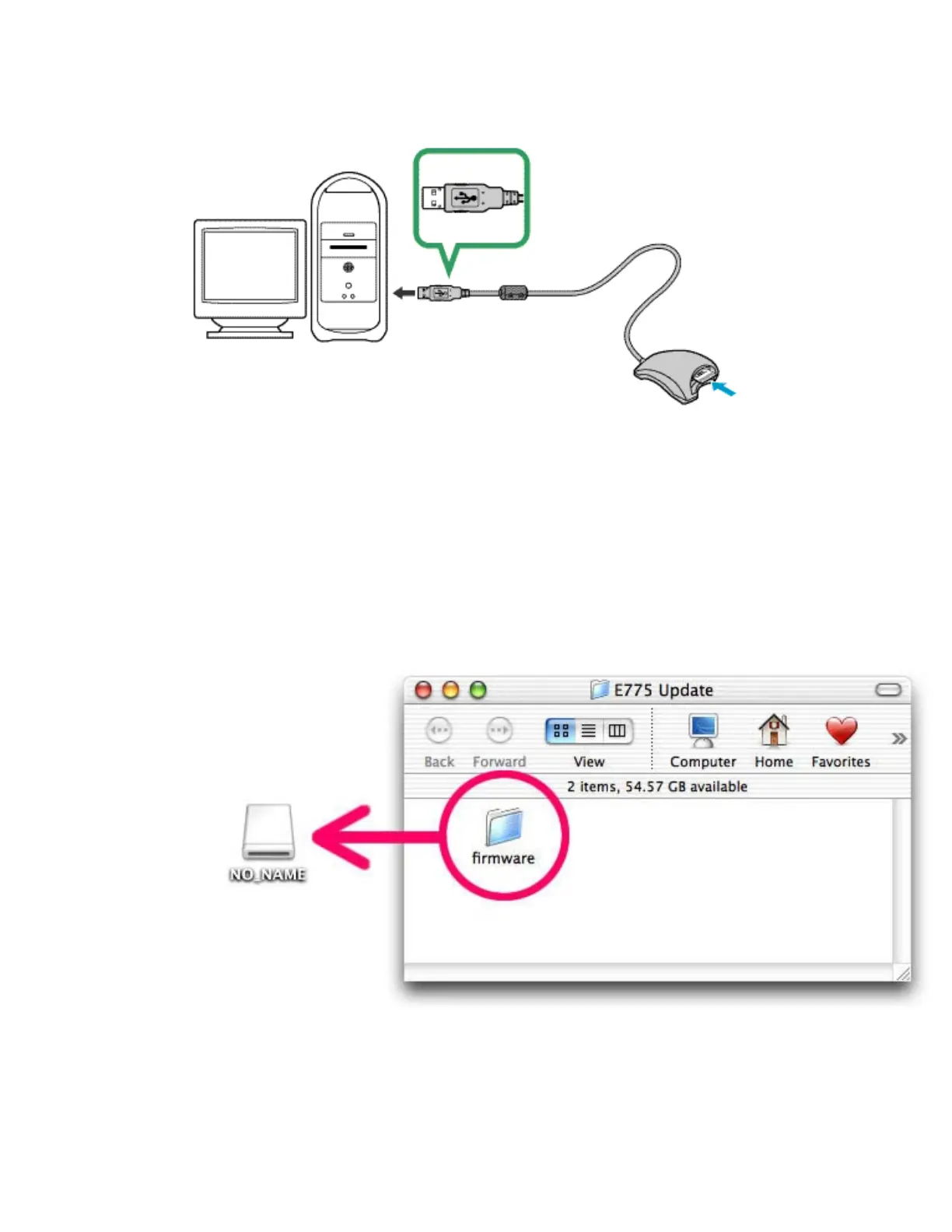
CompactFlash Card Reader
1
Connect the card reader to the computer.
For more information, see the documentation provided with the card reader.
2
Insert the formatted memory card into the card reader.
If Nikon View has been installed on the computer, Nikon Transfer will start automatically and
display the message, “There is no selected transfer image in the camera or on the card.” Click
OK to exit Nikon Transfer.
3
Copy the firmware to the memory card.
3-
1.
Copy the firmware to the untitled volume corresponding to the memory card.
When the memory card is inserted, an untitled volume will appear on the desktop. Copy the
“firmware” folder from the “E775 Update” folder to this untitled volume.
In Mac OS X, untitled volumes are labeled “NO_NAME”
3-
2.
When copying is complete, check the contents of the untitled volume.
Open the “firmware” folder on the untitled volume and confirm that it contains the file
“firmware.bin.”



 To Next Page