3-
3.
Remove the memory card.
Drag the untitled volume into the Trash and remove the memory card from the card reader.
4
Disconnect the card reader.
For more information, see the documentation provided with the card reader.
Update the camera firmware
Should any of the following occur during the update, the COOLPIX775 could become inoperable:
• The memory card is removed from the camera
• The camera is turned off
• The AC adapter is unplugged or disconnected
• The battery is removed
• The camera is subjected to powerful electromagnetic noise
If you are not confident that you can perform the update successfully, the update can be performed by
a Nikon service representative.
1
Insert the memory card containing the firmware into the COOLPIX775.
2
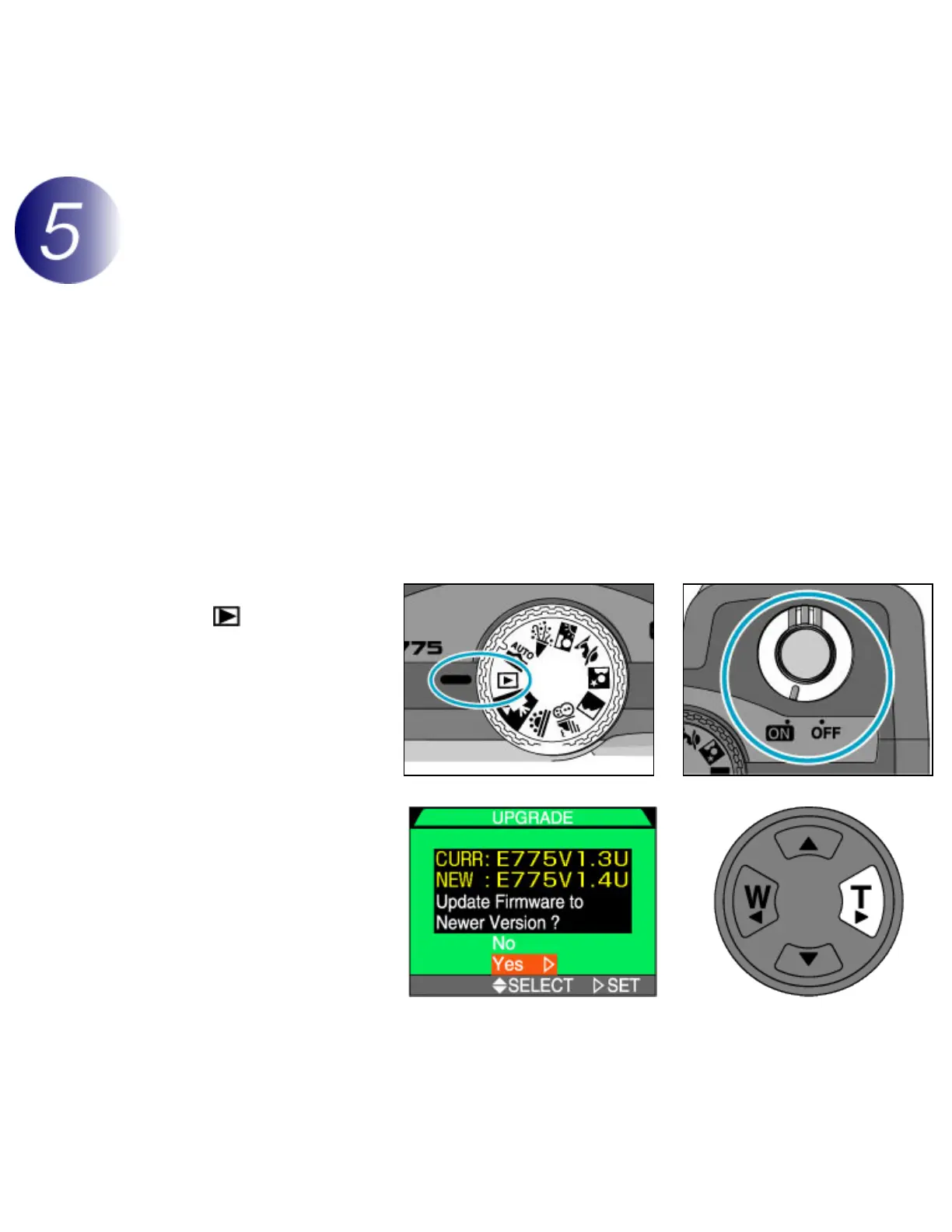
Rotate the mode dial
to
and turn the
camera on.
3
A firmware update
dialog will be displayed
in the camera monitor.
Highlight Yes and press
the multi selector to the
right.



 To Next Page