EasyManua.ls Logo

Nikon COOLSCAN LS-10E - LEO Indicator; TERM. PWR Switch

Nikon COOLSCAN LS-10E
82 pages
Print Icon
To Next Page IconTo Next Page
To Previous Page IconTo Previous Page
Loading...
II'llo"
-
~[
[8]
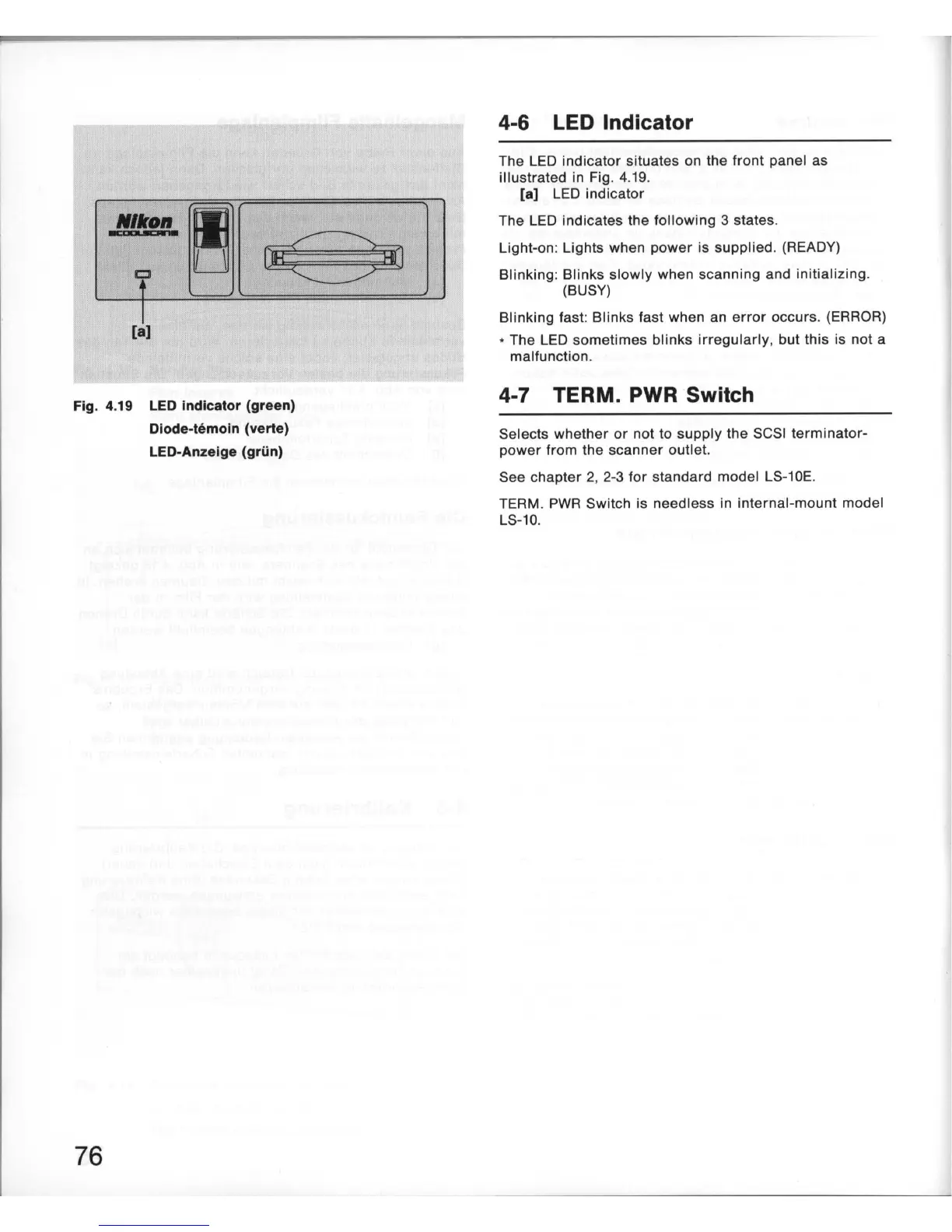
Fig. 4.19 LED Indicator (green)
Diode-temoin (verte)
LED-Anzeige (griin)
76
4-6
LED
Indicator
The LED
indicator
situates on the
front
panel as
illustrated
in Fig. 4.
19
.
[a] LED
indicator
The LED indicates the
following
3 states.
Light-on: Lights when
power
is supplied. (READY)
Blinking
: Blinks
slowly
when
scanning
and initializing.
(BUSY)
Blinking
fast: Blinks fast when an
error
occurs. (ERROR)
* The LED
sometimes
blinks
irregularly
.
but
this is not a
malfunction.
4-7 TERM.
PWR
Switch
Selects
whether
or
not to
supply
the SCSI
terminator-
power
from the
scanner
outlet.
See chapter 2. 2-3
for
standard model LS-10E.
TERM.
PWR
Switch is needless in internal-
mount
model
LS-10.

Table of Contents

Related product manuals