92
k
Release mode can be chosen from the following options:
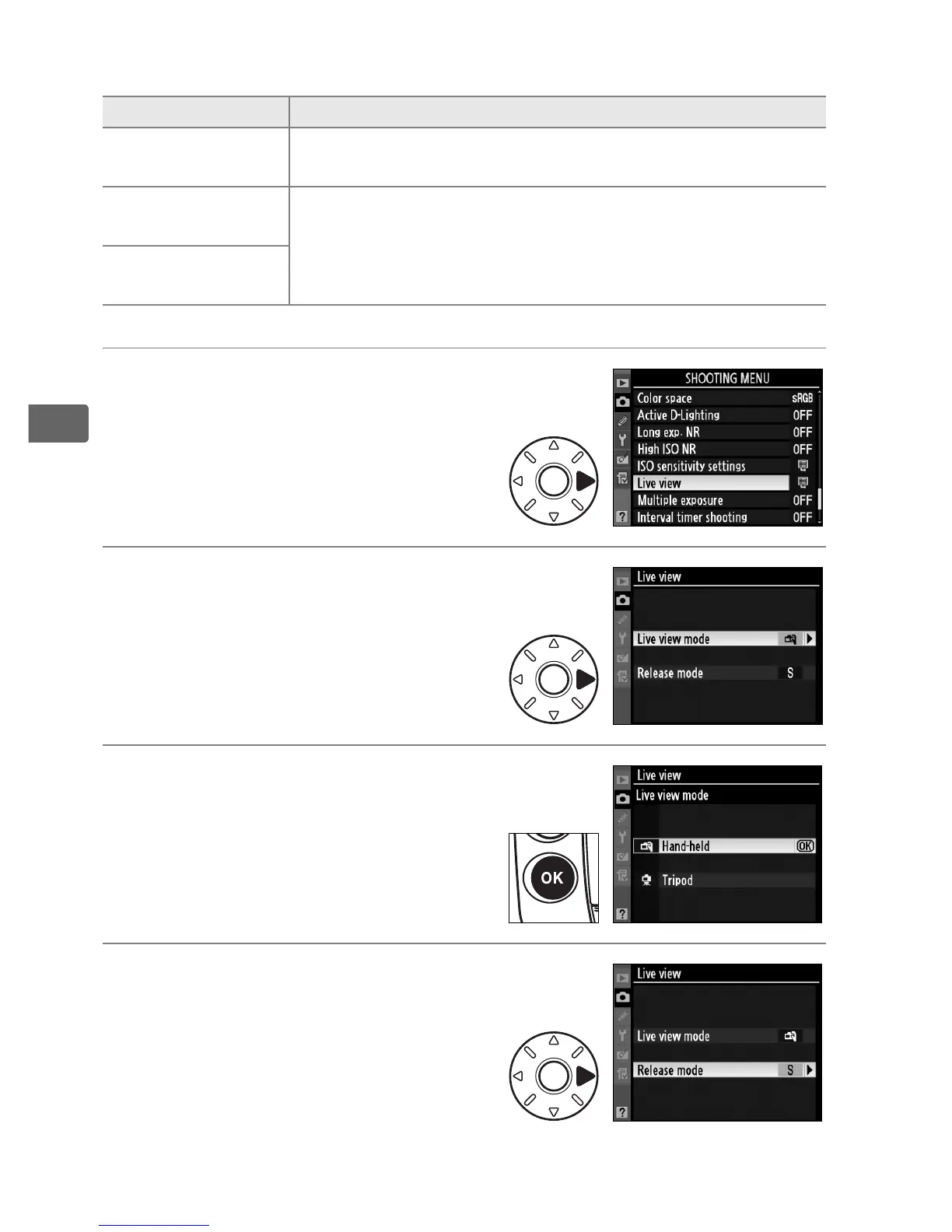
1 Select [Live view].
In the shooting menu (pg.
290), highlight [Live view] and
press 2.
2 Select [Live view mode].
Highlight [Live view mode] and
press 2.
3 Select a live view mode.
Highlight the desired mode
and press J to return to the
live view menu.
4 Select [Release mode].
Highlight [Release mode] and
press 2.
Option Description
s Single frame
(default)
Camera takes one photograph each time shutter-
release button is pressed.
t
Continuous
low-speed
While shutter-release button is held down, camera
records photographs in continuous low speed or
continuous high speed mode (pg. 88).
u
Continuous
high-speed



 To Next Page