184
J
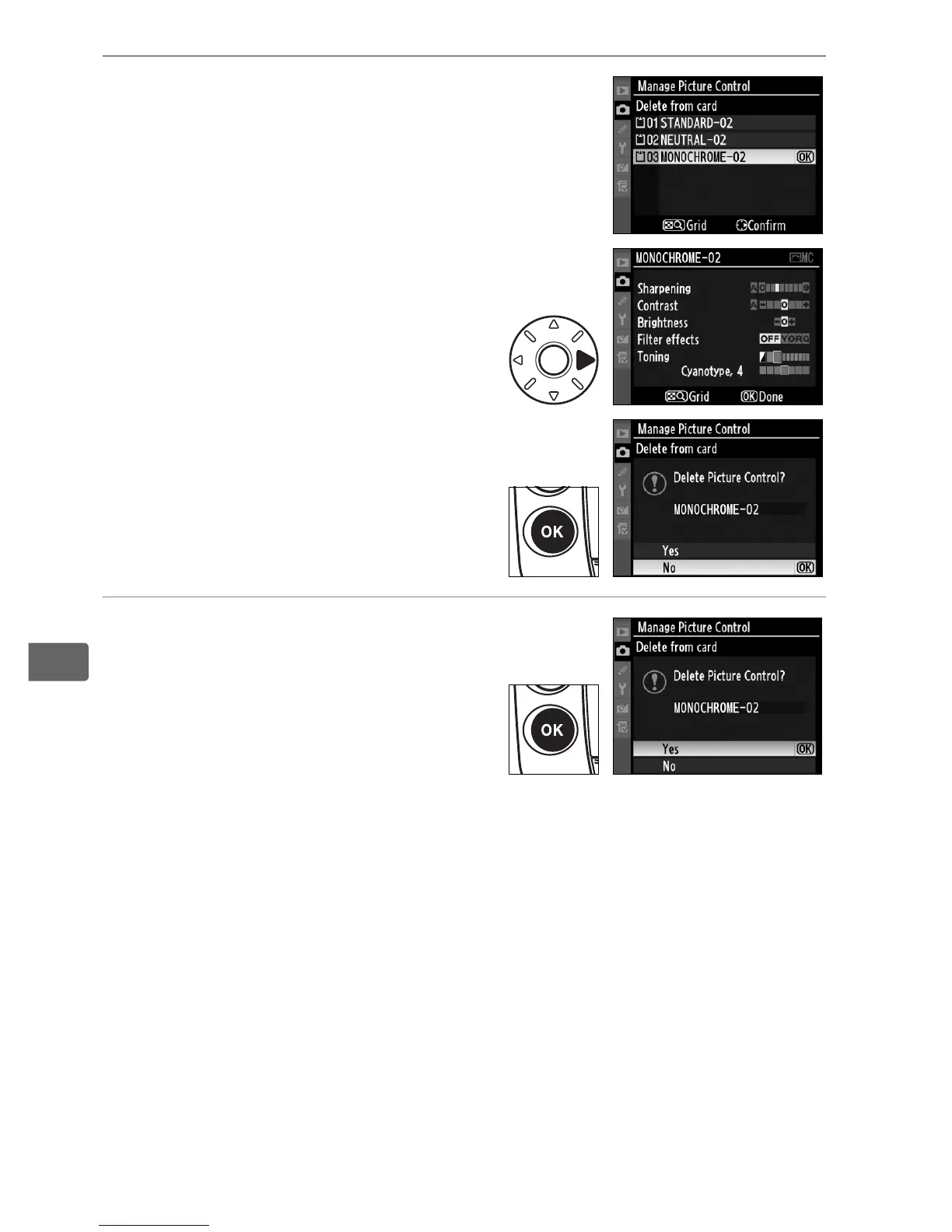
3 Select a Picture Control.
Highlight a custom Picture
Control (slot1 through 99) and
either;
• press 2 to view current
Picture Control settings, or
• press J to display
confirmation dialog shown at
right.
4 Select [Yes].
Highlight [Yes] and press J to
delete the selected Picture
Control.



 To Next Page