203
l
8 Release FV lock.
Press the Fn button to release FV lock.
Confirm that the FV lock
icons (P and e) are no longer displayed in the top control
panel and viewfinder.
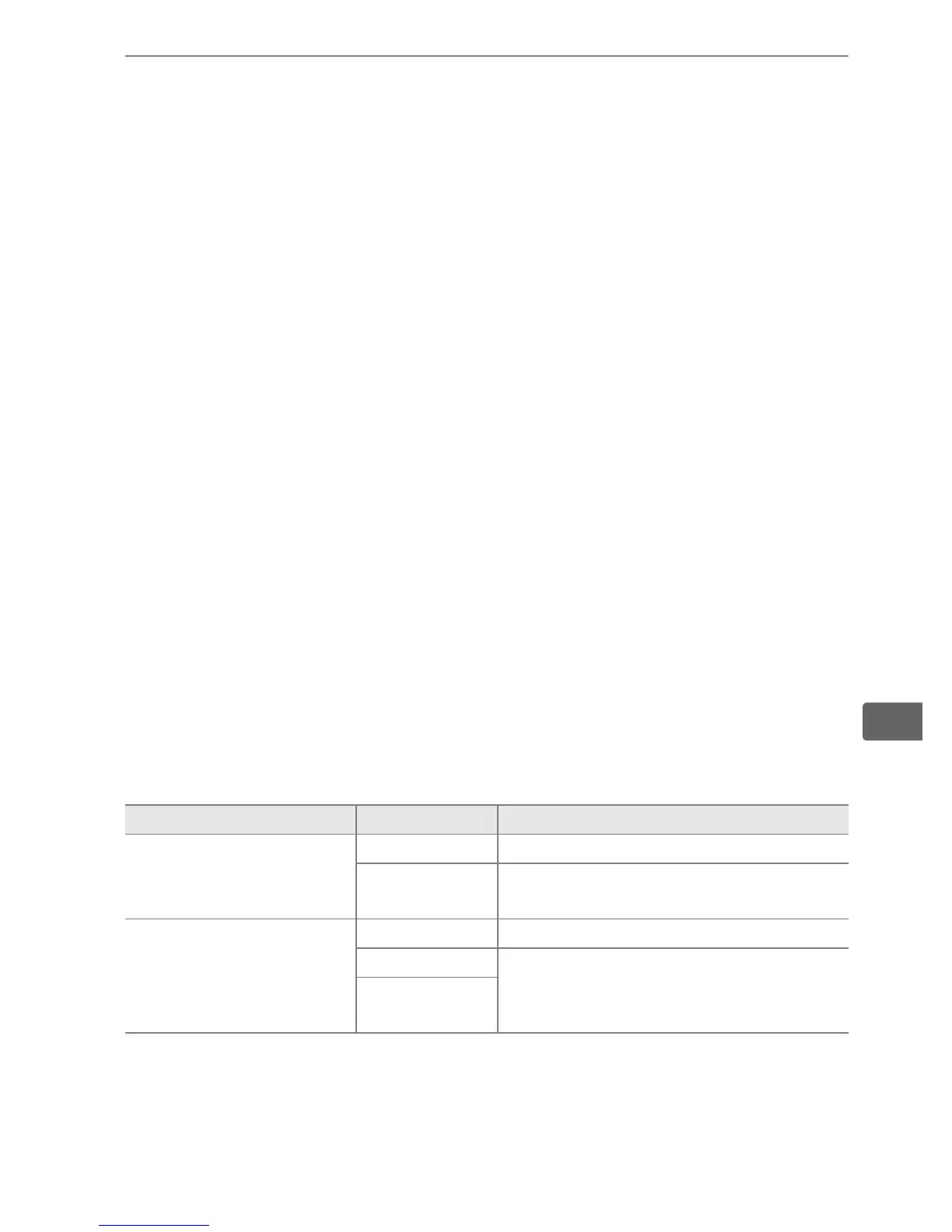
A Metering
The metering areas for FV lock are as follows:
A See Also
For information on using the depth-of-field preview or AE-L/AF-L button for
FV lock, see Custom Setting f5 ([Assign preview button], pg. 337) or
Custom Setting f6 ([Assign AE-L/AF-L button], pg. 338).
Speedlight Flash mode Metered area
Stand-alone flash unit
i-TTL 5-mm circle in center of frame
AA
Area metered by flash exposure
meter
Used with other flash
units (Advanced
Wireless Lighting)
i-TTL Entire frame
AA
Area metered by flash exposure
meter
A (master
flash)



 To Next Page