333
U
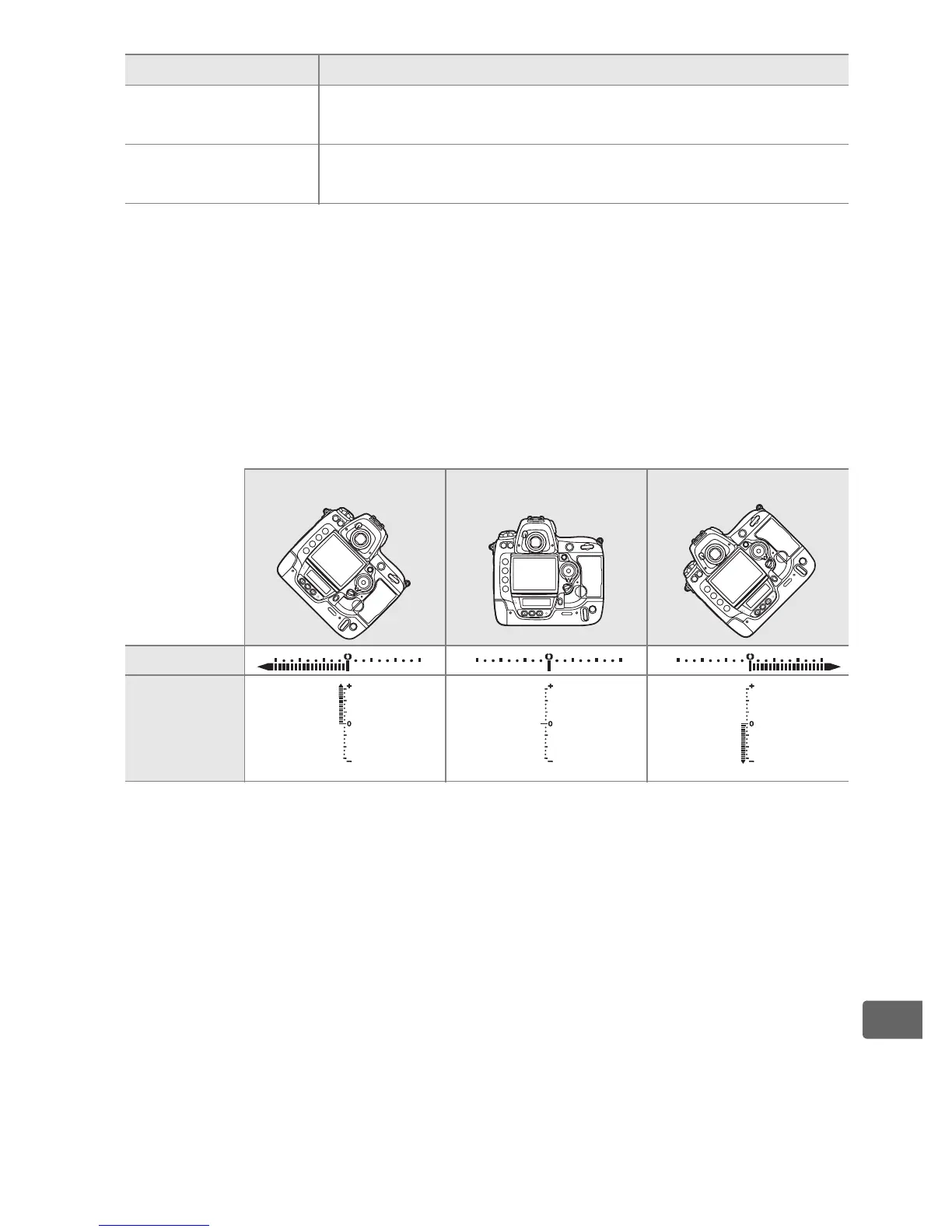
A Virtual Horizon
When [Virtual horizon] is selected for [FUNC. button press], the electronic
analog exposure displays in the viewfinder and top control panel act as a
horizontal level when the Fn button is pressed.
Note that the display may not be accurate when the camera is tilted at a
sharp angle forward or back.
u
Virtual
horizon
*
The electronic analog exposure displays act as a tilt
meter (pg. 333).
None
(default)
No operation is performed when the Fn button is
pressed.
* This option can not be used in combination with [FUNC. button+dials] (pg. 334).
Selecting this options displays a message and sets [FUNC. button+dials] to
[None]. If another option is selected for [FUNC. button+dials] while this setting is
active, [FUNC. button press] will be set to [None].
Camera tilted right Camera level Camera tilted left
Control panel
Viewfinder
Option Description



 To Next Page