24
X
6
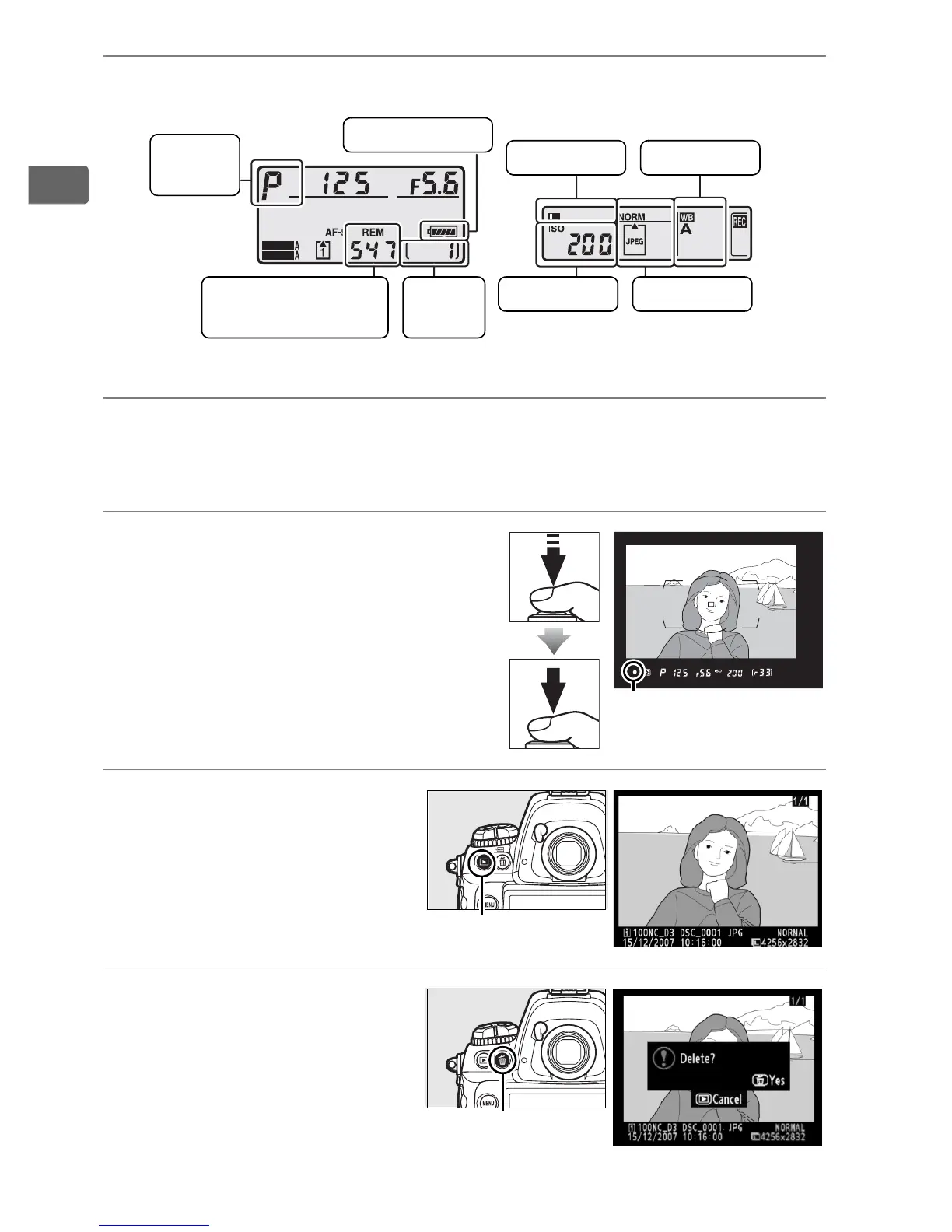
Check camera settings (pp. 48, 51).
7
Select single-servo autofocus (pg. 53).
Rotate the focus-mode selector to S (single-servo autofocus).
8
Focus and shoot (pp. 55, 56).
Press the shutter-release
button halfway to focus, then
press the shutter-release
button the rest of the way
down to take the photograph.
9
View the
photograph (pg. 57).
10
Delete unwanted
photos (pg. 58).
Press O twice to delete
the current
photograph.
SHOOT
CUSTOM
Exposure
mode
Top control panel
Image qualityISO sensitivity
White balance
Rear control panel
Image size
Battery level
Number of exposures
remaining
Frame
count
Focus indicator
K button
O button



 To Next Page