52
s
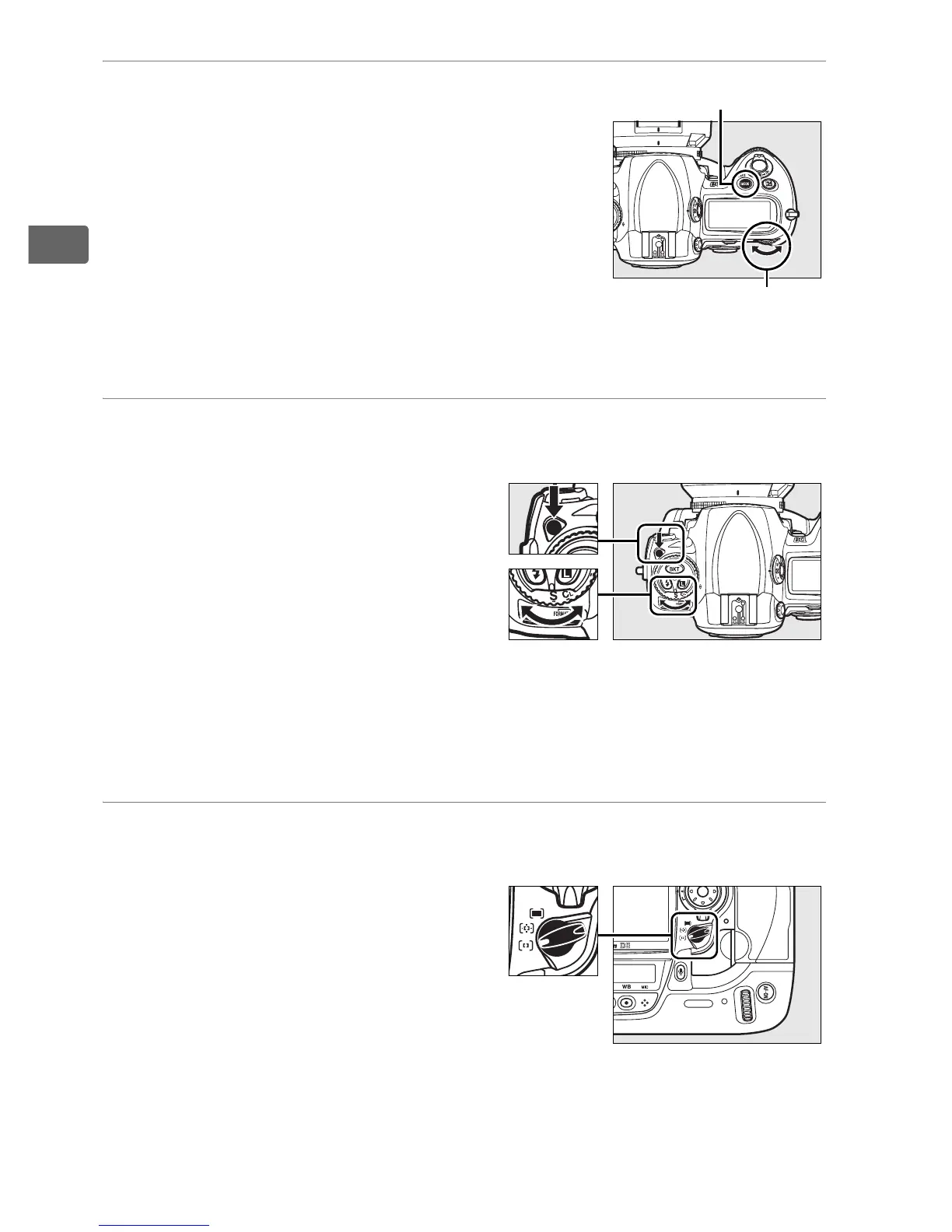
2 Choose exposure mode e.
Exposure mode e is selected at
shipment.
If another exposure mode is
selected, press the I button and
rotate the main command dial to select
exposure mode e.
The camera will
automatically adjust shutter speed and
aperture for optimal exposure in most
situations.
3 Choose single frame
release mode.
S (single-frame release) mode is
selected at shipment.
If
another release mode has been
selected, hold the release
mode dial lock release down
and turn the release mode dial
to S (single frame).
At this
setting, the camera will take one photograph each time the
shutter-release button is pressed.
4 Choose single-point AF.
K (single-point AF) is selected
at shipment.
If another AF-area
mode has been selected, rotate
the AF-area mode selector until
it clicks into place pointing to
K.
At this setting, the user can
choose the focus point (at
default settings, the center focus point is selected).
I button
Main command
dial
Release mode dial
Release mode dial
lock release
AF-area mode
selector



 To Next Page