66
d
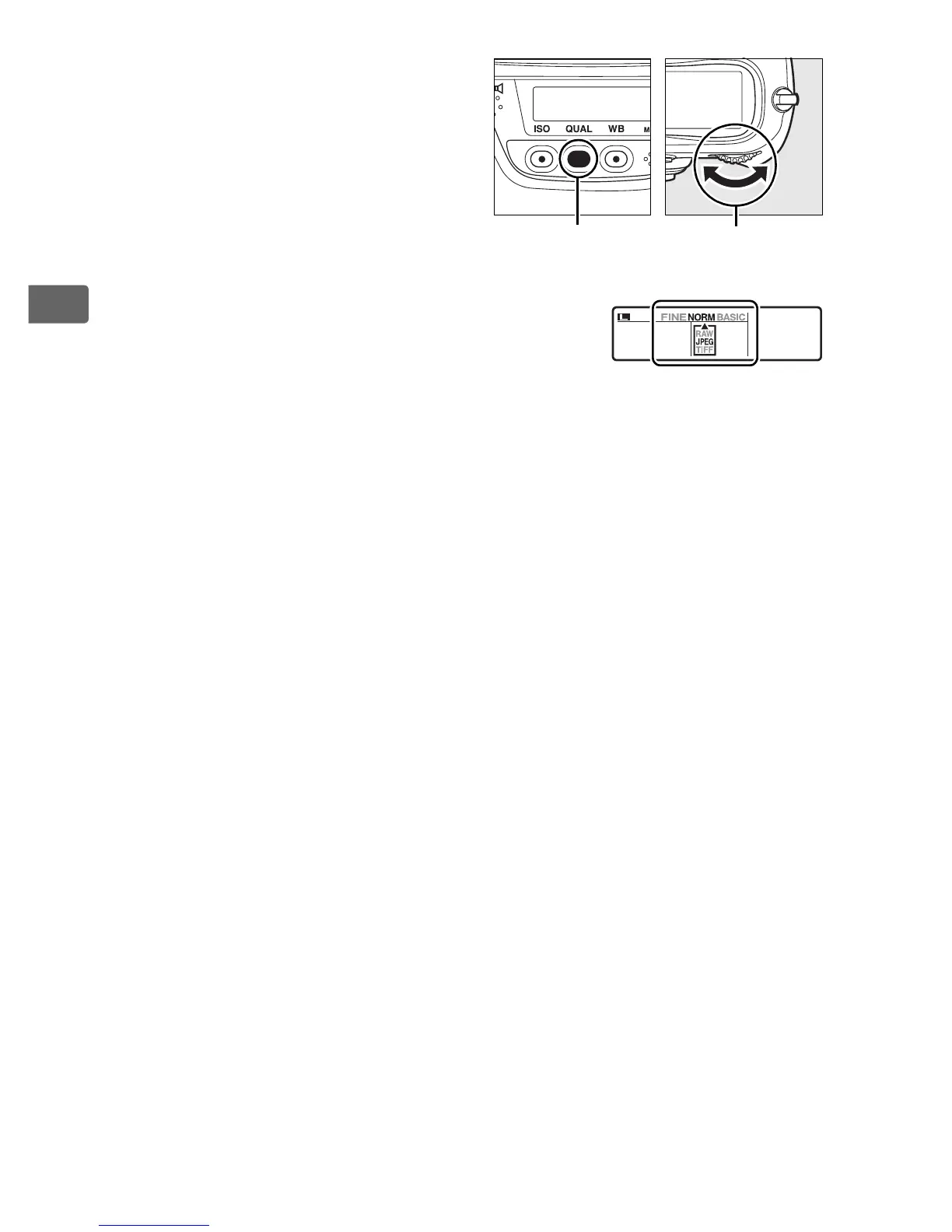
Image quality is set by pressing
the QUAL button and rotating the
main command dial until the
desired setting is displayed in the
rear control panel.
A NEF (RAW) Recording
The [NEF (RAW) recording] item in the shooting menu controls
compression (pg. 68) and bit depth (pg. 68) for NEF (RAW) images.
A JPEG Compression
JPEG images can be compressed for relatively uniform file size or optimal
image quality.
The [JPEG compression] option in the shooting menu can
be used to choose the type of compression (pg. 67).
A NEF (RAW)+JPEG
If only one memory card is used, only the JPEG image will be displayed
when photographs taken at [NEF (RAW) + JPEG fine], [NEF (RAW) + JPEG
normal], or [NEF (RAW) + JPEG basic] are viewed on the camera.
Deleting
the JPEG image deletes the NEF (RAW) copy.
If two memory cards are
inserted and [RAW Slot 1-JPEG Slot 2] is selected for Slot 2, deleting the
JPEG copy from the memory card in slot 2 has no effect on the NEF (RAW)
copy on the memory card in slot 1 (pg. 71).
A The Image Quality Menu
Image quality can also be adjusted using the [Image quality] option in the
shooting menu (pg. 290).
QUAL button
Main command
dial
Rear control panel



 To Next Page