18
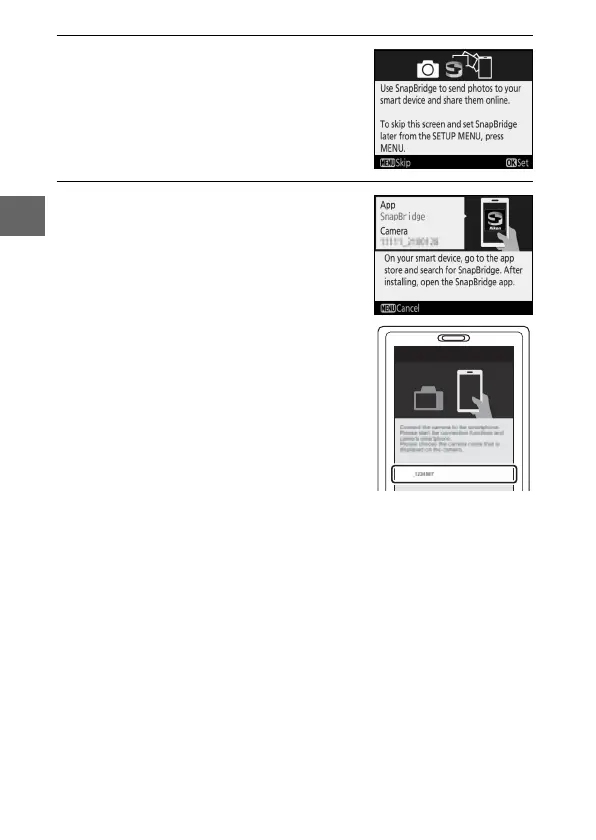
2 Press J when the dialog at right is
displayed.
If you do not wish to use a smart
device to configure the camera, press
G (0 24).
3 Pair the camera and the smart
device.
The camera will wait for a connection;
launch the SnapBridge app on the
smart device and follow the on-screen
instructions to tap the name of the
camera you want to pair with.
D3400
Connect to Camera
Camera name



 To Next Page