94
k
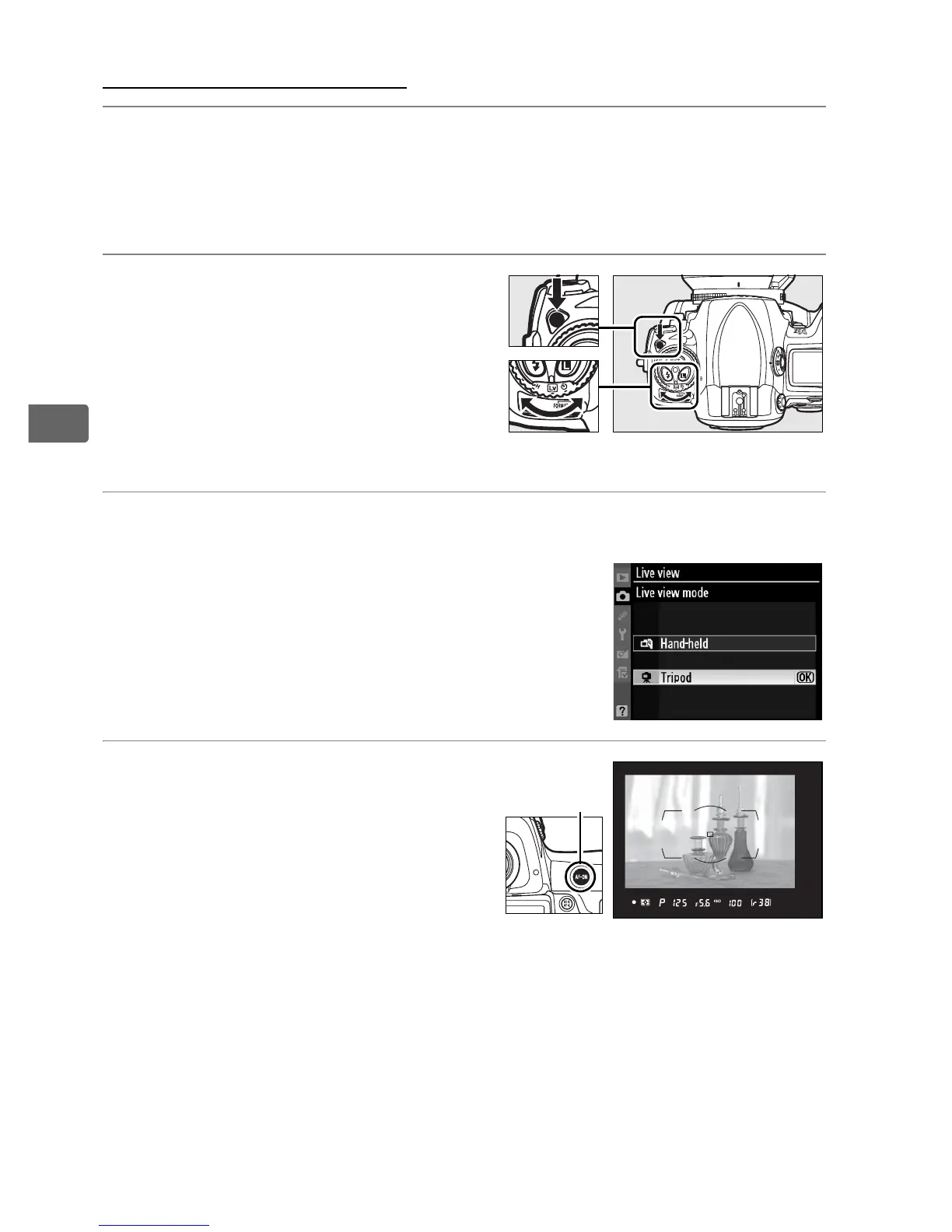
Tripod Mode (h)
1 Ready the camera.
Mount the camera on a tripod or place it on a stable, level
surface.
2 Select live view mode.
Press the release mode dial
lock release and turn the
release mode dial to a.
3 Adjust [Live view] options in the shooting menu.
Select [Live view] in the shooting menu
and choose [Tripod] for [Live view
mode].
[Release mode] options can be
selected as described on page 91.
4 Frame a picture in the
viewfinder.
Frame a picture in the
viewfinder and select a focus
point using the multi selector,
then press an B button.
The camera will focus normally
and set exposure.
Note that the camera can NOT be focused by
pressing the shutter-release button halfway.
Release mode dial
B
button



 To Next Page