14
X
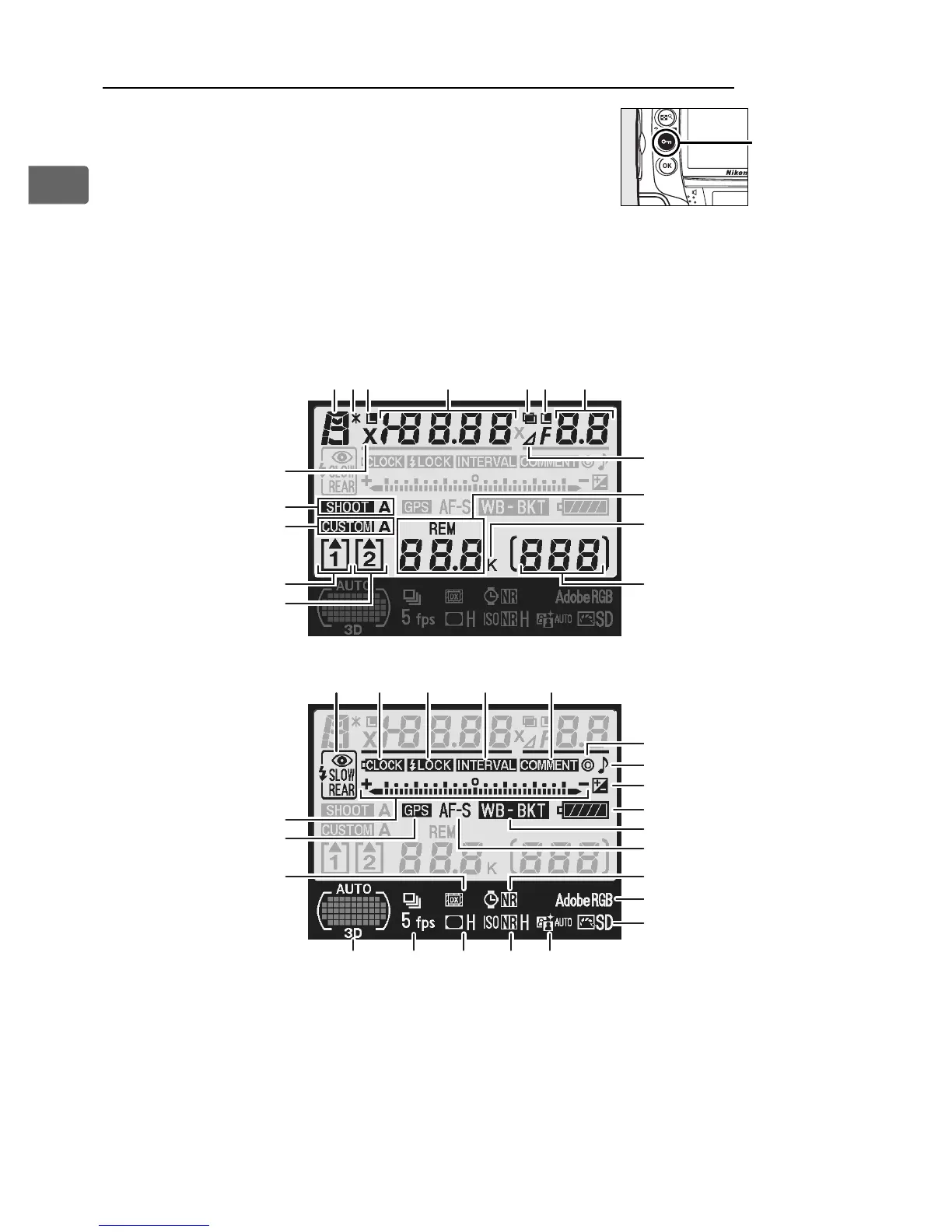
The Shooting Information Display
Shooting information, including shutter
speed, aperture, the number of exposures
remaining, and AF-area mode is displayed in
the monitor when the R button is pressed.
To clear shooting information from the monitor, press the R
button again or press the shutter-release button halfway.
At
default settings, the monitor will turn off automatically if no
operations are performed for about 20 seconds.
A See Also
For information on choosing how long the monitor stays on, see Custom
Setting c4 ([Monitor off delay], pg. 319). For information on changing the
color of the lettering in the shooting information display, see Custom
Setting d6 ([Shooting info display], pg. 324).
R
button
11
10
9
15
16
14
13
12
1
23
24
25
26
27
29
30
37
36
38
17
35 34 33 32 31
18 19 20 21
23 4 5 6 7
8
22
28



 To Next Page