51
s
Adjust Camera Settings
This tutorial describes how to take photos at default settings.
1 Check camera settings.
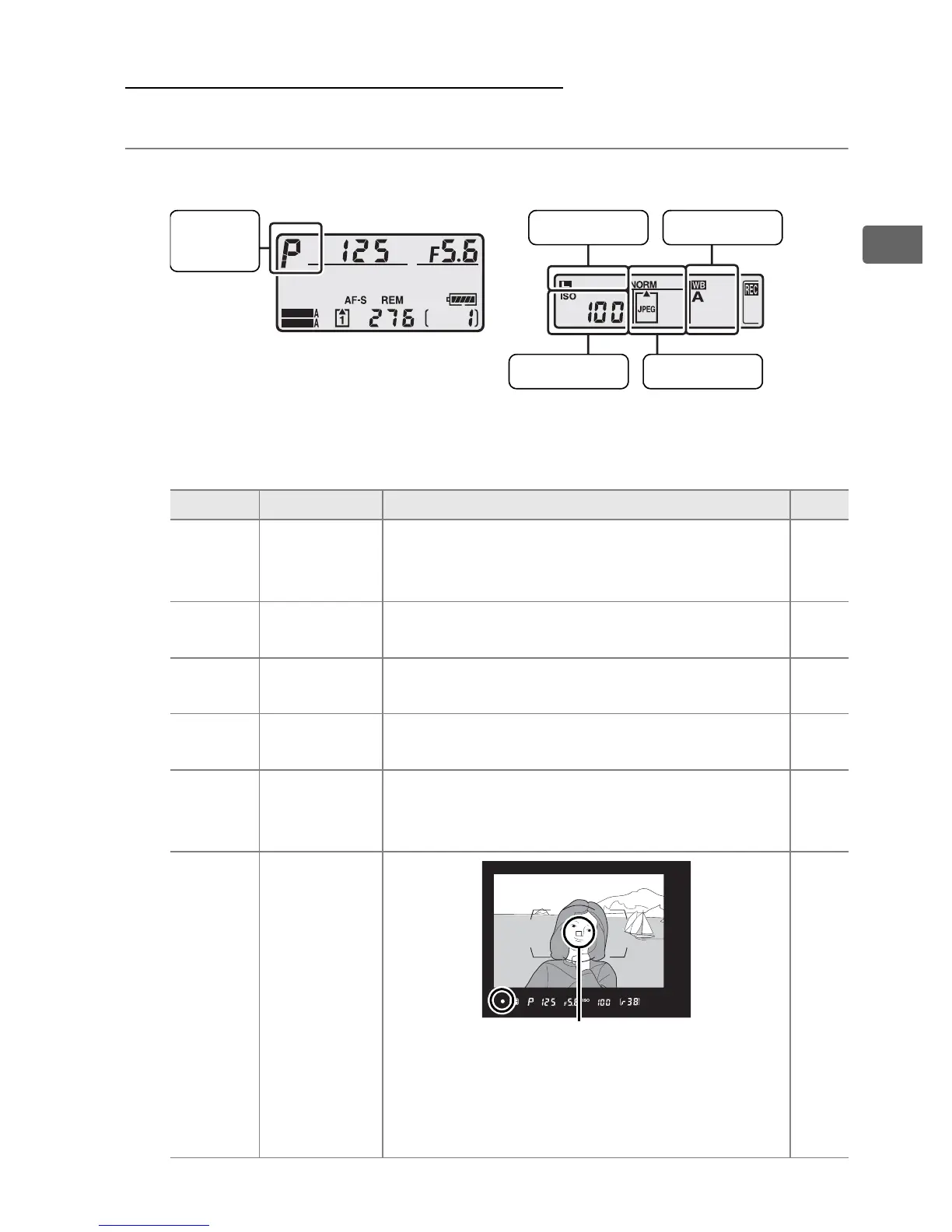
Default settings are listed below.
Option Default Description Page
Image
quality
NORM
(JPEG
normal)
Record JPEG images at a compression ratio
of roughly 1 : 8
*
. Ideal for snapshots.
* [Size priority] selected for [JPEG compression].
66
Image size
L
(Large)
FX format images are 6,048 × 4,032 pixels
in size.
70
ISO
sensitivity
100
ISO sensitivity (digital equivalent of film
speed) set to ISO 100.
104
White
balance
v
(Auto)
White balance is adjusted automatically for
natural colors under most types of lighting.
140
Exposure
mode
e
(Programmed
auto)
Camera automatically adjusts shutter
speed and aperture for optimal exposure
in most situations.
112
Focus
point
Center focus
point
(single-
point AF)
Viewfinder focus point display is shown
above.
Camera focuses on subject in
center focus point when shutter-release
button is pressed halfway.
78
SHOOT
CUSTOM
Exposure
mode
Top control panel
Image qualityISO sensitivity
White balance
Rear control panel
Image size
Focus point



 To Next Page