48
s
Basic Photography and Playback
Turn the Camera On
Before taking photographs, turn the camera on and check the
battery level and number of exposures remaining as described
below.
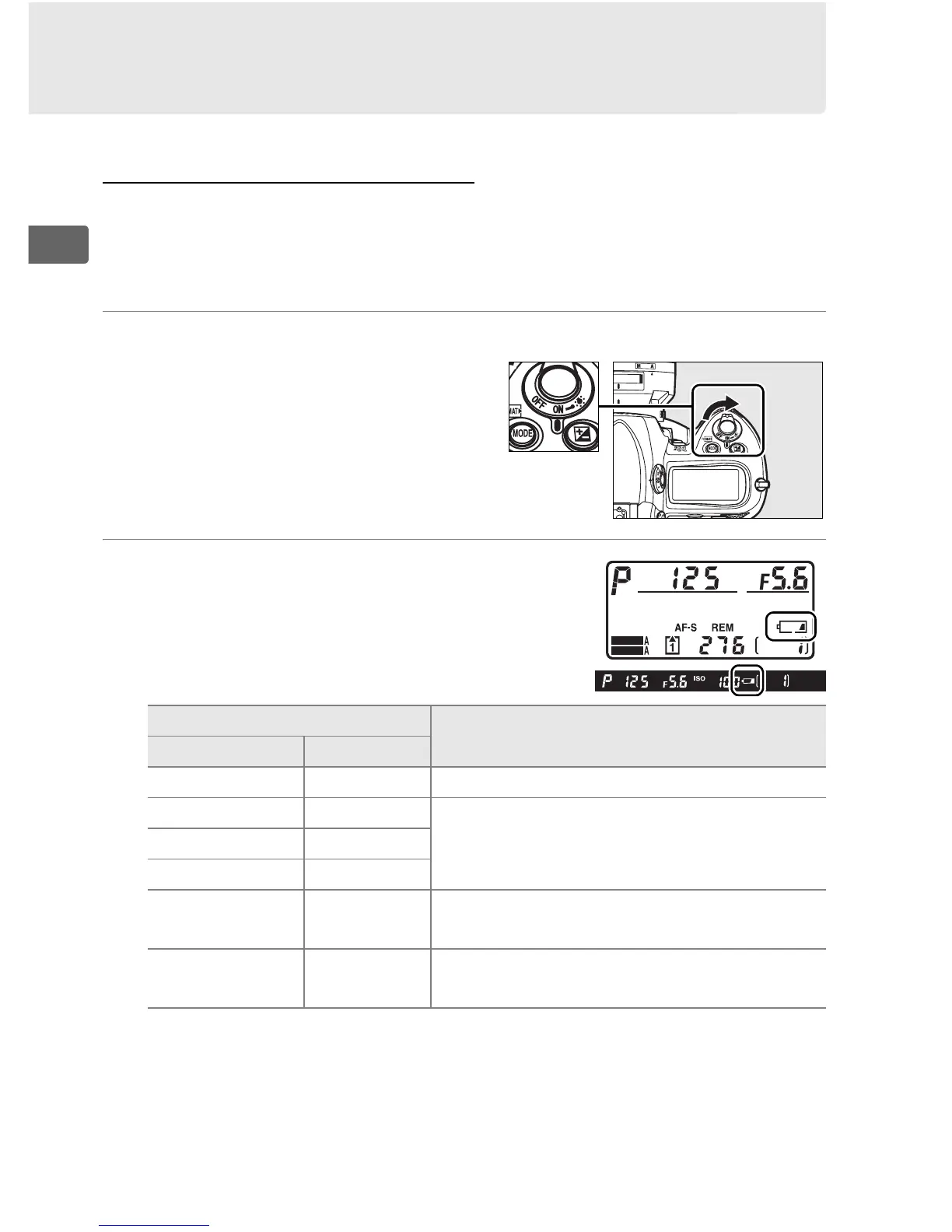
1 Turn the camera on.
Turn the camera on.
The
control panels will turn on and
the display in the viewfinder
will light.
2 Check the battery level.
Check the battery level in the
viewfinder or top control panel.
Icon
*
DescriptionControl panel Viewfinder
L — Battery fully charged.
K —
Battery partially discharged.J —
I —
H d
Low battery.
Prepare to charge battery
or ready spare battery.
H
(blinks)
d
(blinks)
Shutter release disabled.
Charge or
exchange battery.
* No icon displayed when camera is powered by optional AC adapter.
Power switch
SHOOT
CUSTOM



 To Next Page