164
J
Selecting Nikon Picture Controls
The camera offers four preset Nikon Picture Controls.
Choose a
Picture Control according to the subject or type of scene.
❚❚ Choosing a Picture Control
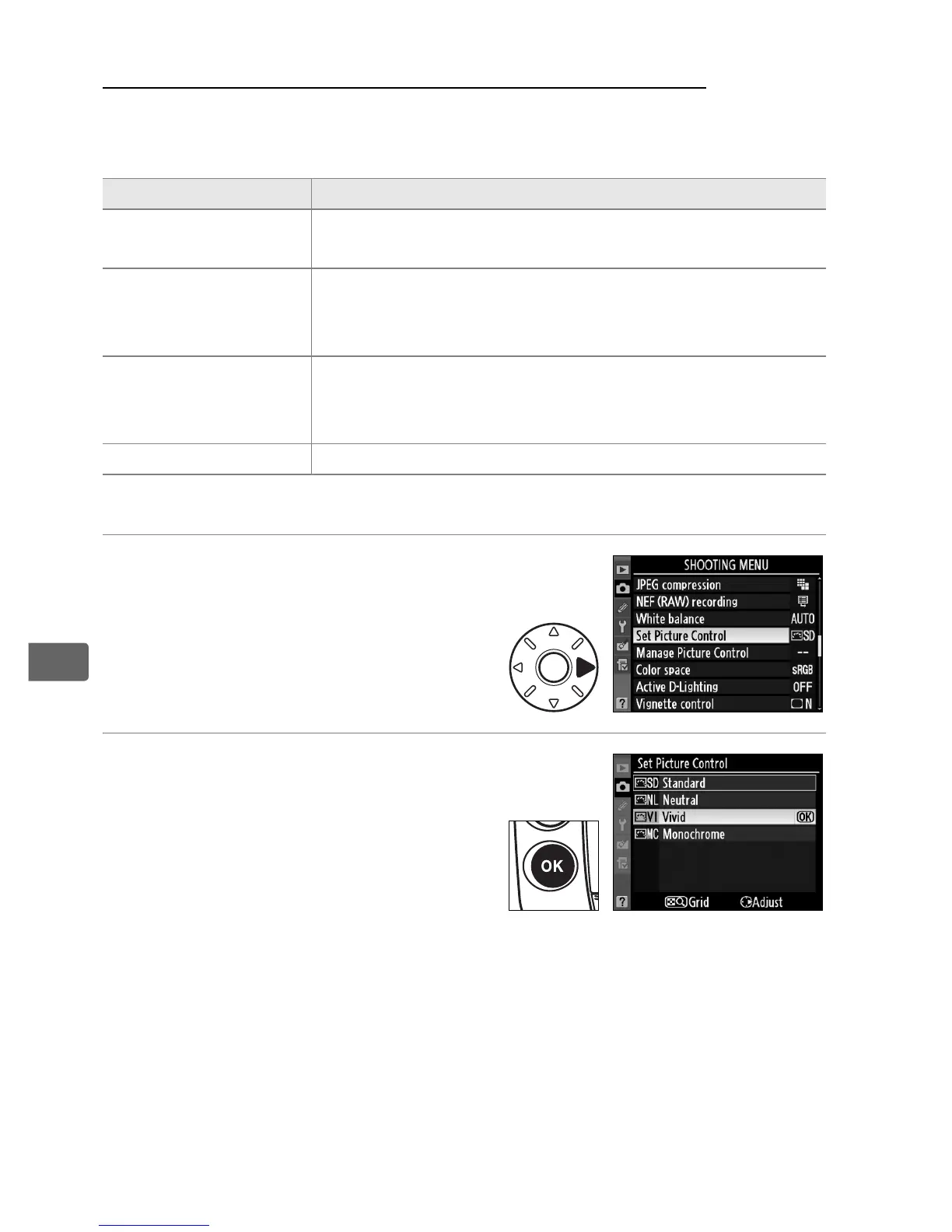
1 Select [Set Picture Control].
In the shooting menu (pg. 290),
highlight [Set Picture Control]
and press 2.
2 Select a Picture Control.
Highlight the desired Picture
Control and press J.
Option Description
Q Standard
Standard processing for balanced results.
Recommended for most situations.
R Neutral
Minimal processing for natural results.
Choose for
photographs that will later be extensively
processed or retouched.
S Vivid
Pictures are enhanced for a vivid, photoprint effect.
Choose for photographs that emphasize primary
colors.
T Monochrome Take monochrome photographs.



 To Next Page