58 Reference: Connecting to a Computer, Printer, or TV/Printing Photographs
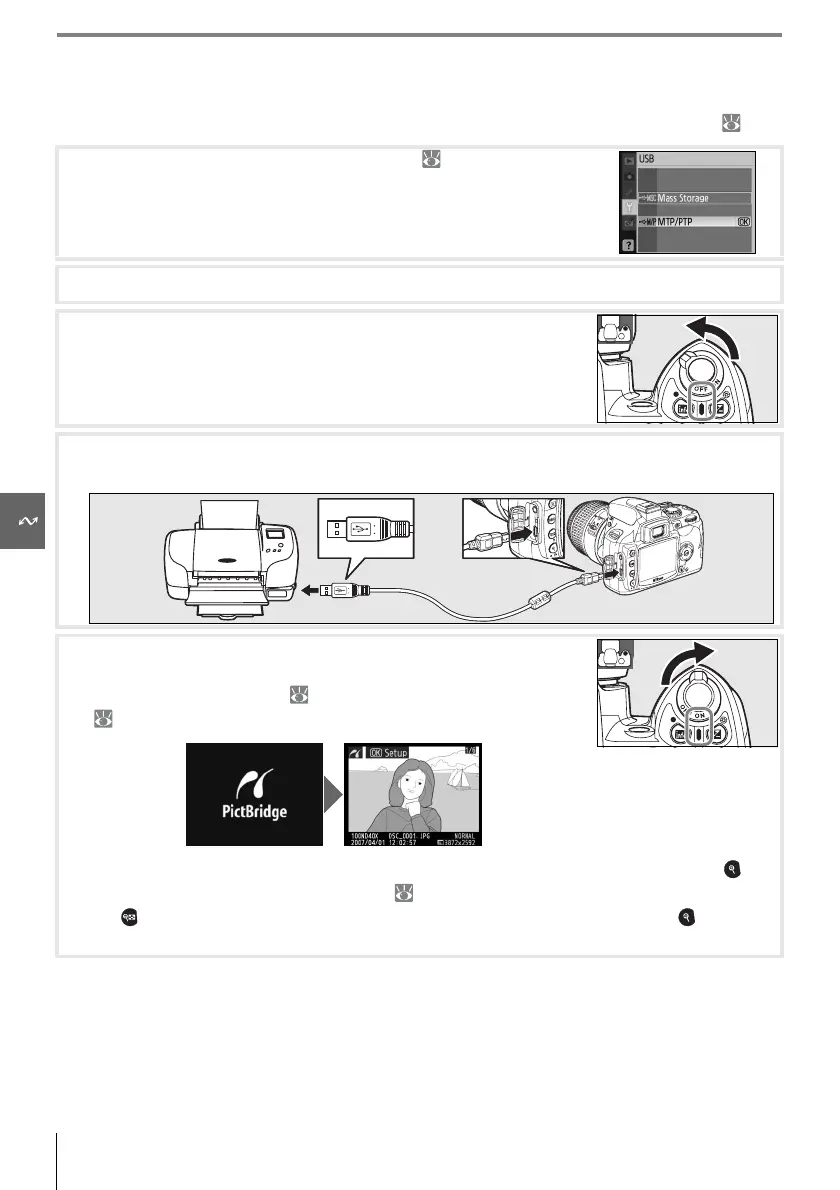
Connecting the Printer
Before printing, check that the camera battery is fully charged. If in doubt, charge the bat-
tery or use an EH-5 AC adapter and EP-5 AC adapter connector (available separately; 103).
1
Set the camera USB option to MTP/PTP ( 84).
2
Turn the printer on.
3
Turn the camera off.
4
Connect the supplied USB cable as shown. Do not use force or attempt to insert the
connectors at an angle.
5
Turn the camera on. A welcome screen will be displayed, fol-
lowed by the PictBridge playback display. Proceed to “Printing
Pictures One at a Time” ( 59) or “Printing Multiple Pictures”
( 60).
Press the multi selector left or right to view additional photographs, or press the but-
ton to zoom in on the current photo ( 53). To view six photographs at a time, press
the button. Use the multi selector to highlight photographs, or press to display
the highlighted photograph full frame.



 To Next Page