#145
#657×2
#573
#482
#5015
#556
#656×2
#147
#65
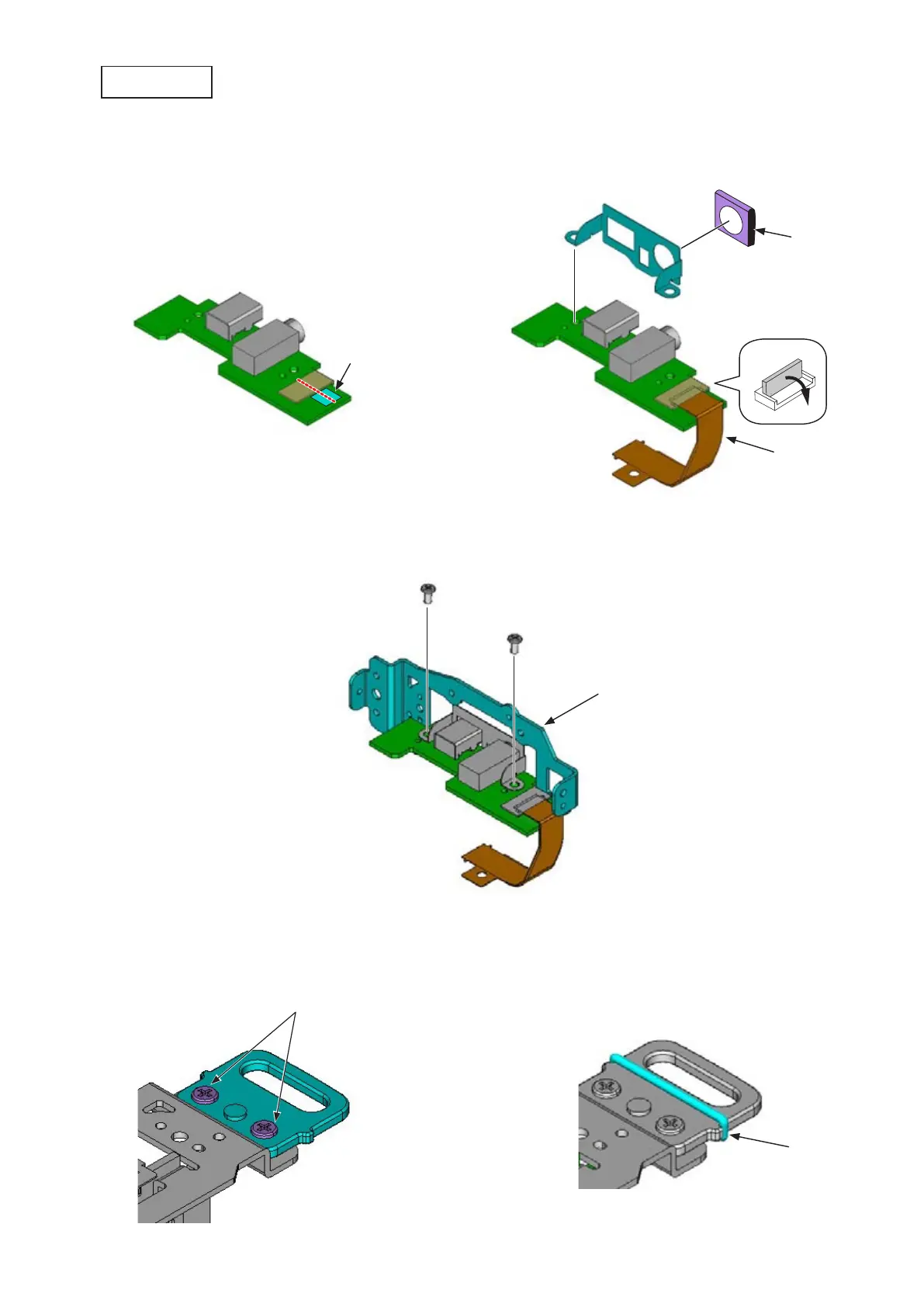
Mount the eyelet (#145), and tighten the two screws (#657).
Mount the "O"-ring (#147).
•
•
Attach the double-stick tape (#556).
Connect the connection-FPC (#5015), and attach this FPC to the above double-stick tape (#556).
Mount the shield plate (#482) and gasket (#573).
•
•
•
Cutting
surface
Mount the plate (#65), and tighten the two screws (#656).•
IF PCB unit
Attach based on the red dotted
(central) line of the connector.
User ID:NHK



 To Next Page
 Loading...











