319
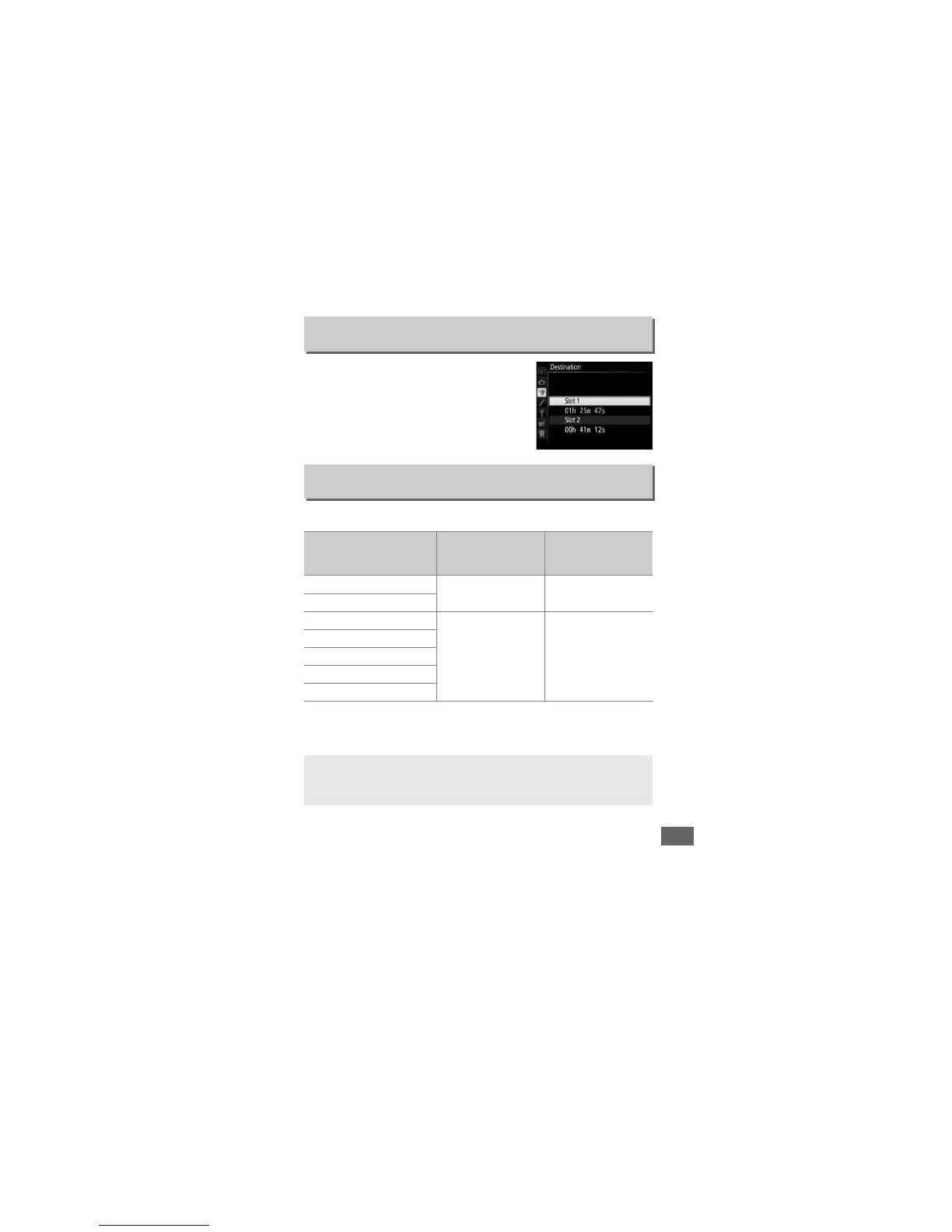
Choose the slot to which movies are
recorded.
The menu shows the time
available on each card; recording ends
automatically when no time remains.
Choose from the following options:
Destination
G button ➜ 1 movie shooting menu
Frame Size/Frame Rate
G button ➜ 1 movie shooting menu
Option
1
Maximum bit rate (Mbps)
(★ high quality/
normal
2
)
Maximum length
(★ high quality/
normal
2
)
v/y
1920 × 1080; 60p
42/24 10 min./20 min.
w/z
1920 × 1080; 50p
o/1
1920 × 1080; 30p
24/12 20 min./29 min. 59 s
p/2
1920 × 1080; 25p
q/3
1920 × 1080; 24p
r/4
1280 × 720; 60p
s/5
1280 × 720; 50p
1Listed values. Actual frame rates for 60p, 50p, 30p, 25p, and 24p are 59.94, 50, 29.97, 25, and
23.976 fps respectively.
2 See page 320.
A Frame Size and Rate
Frame size and rate affect the distribution and amount of noise
(randomly-spaced bright pixels, fog, or bright spots).



 To Next Page