20
Most shooting, playback, and setup
options can be accessed from the camera
menus.
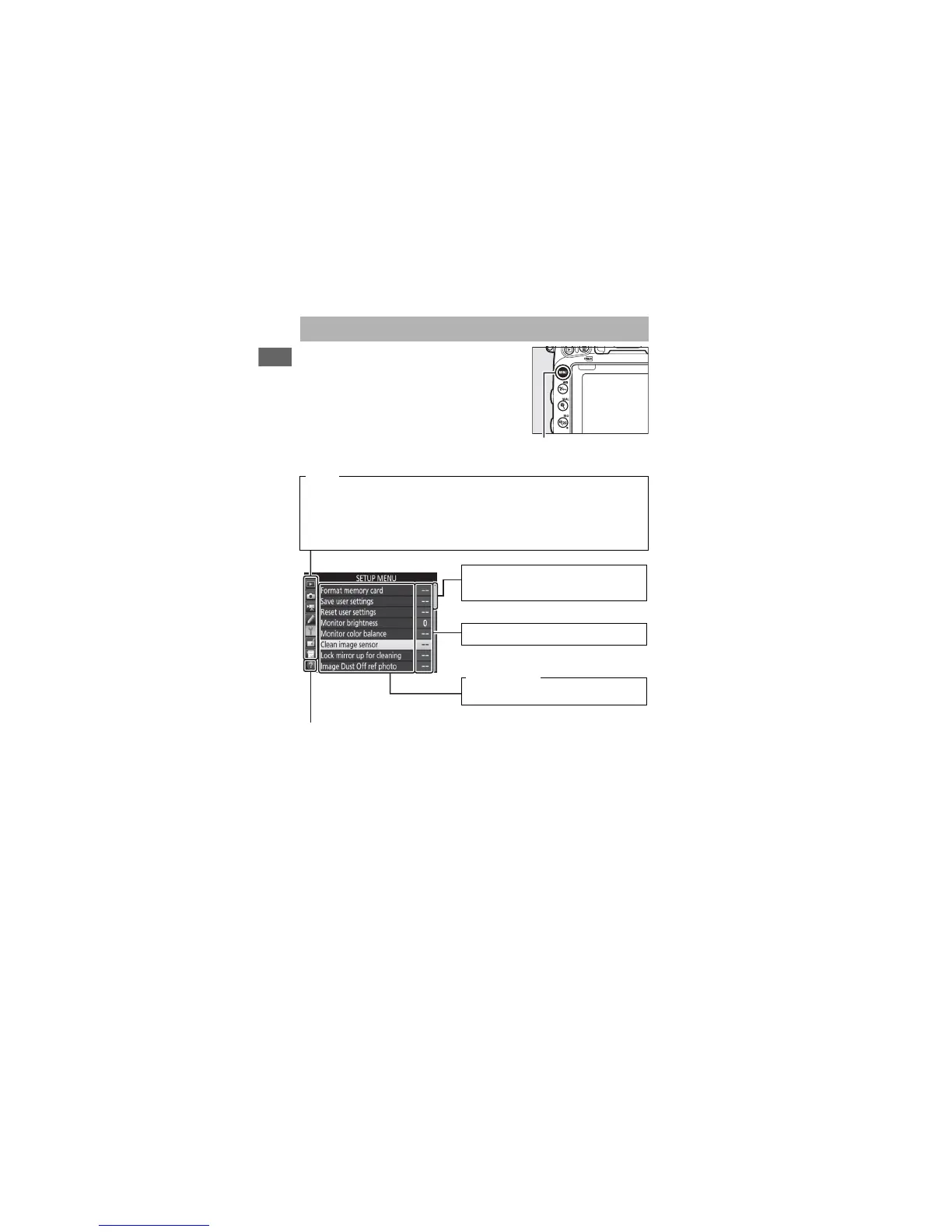
To view the menus, press the
G button.
Camera Menus
Tabs
Choose from the following menus:
• D: Playback (0 300)
• C: Photo Shooting (0 310)
• 1: Movie Shooting (0 318)
• A: Custom Settings (0 323)
• B: Setup (0 374)
• N: Retouch (0 393)
• O/m: MY MENU or RECENT SETTINGS
(defaults to MY MENU; 0 421)
Help icon (0 21)
G button
Slider shows position in current
menu.
Menu options
Options in current menu.
Current settings are shown by icons.



 To Next Page