61
Using the P Button
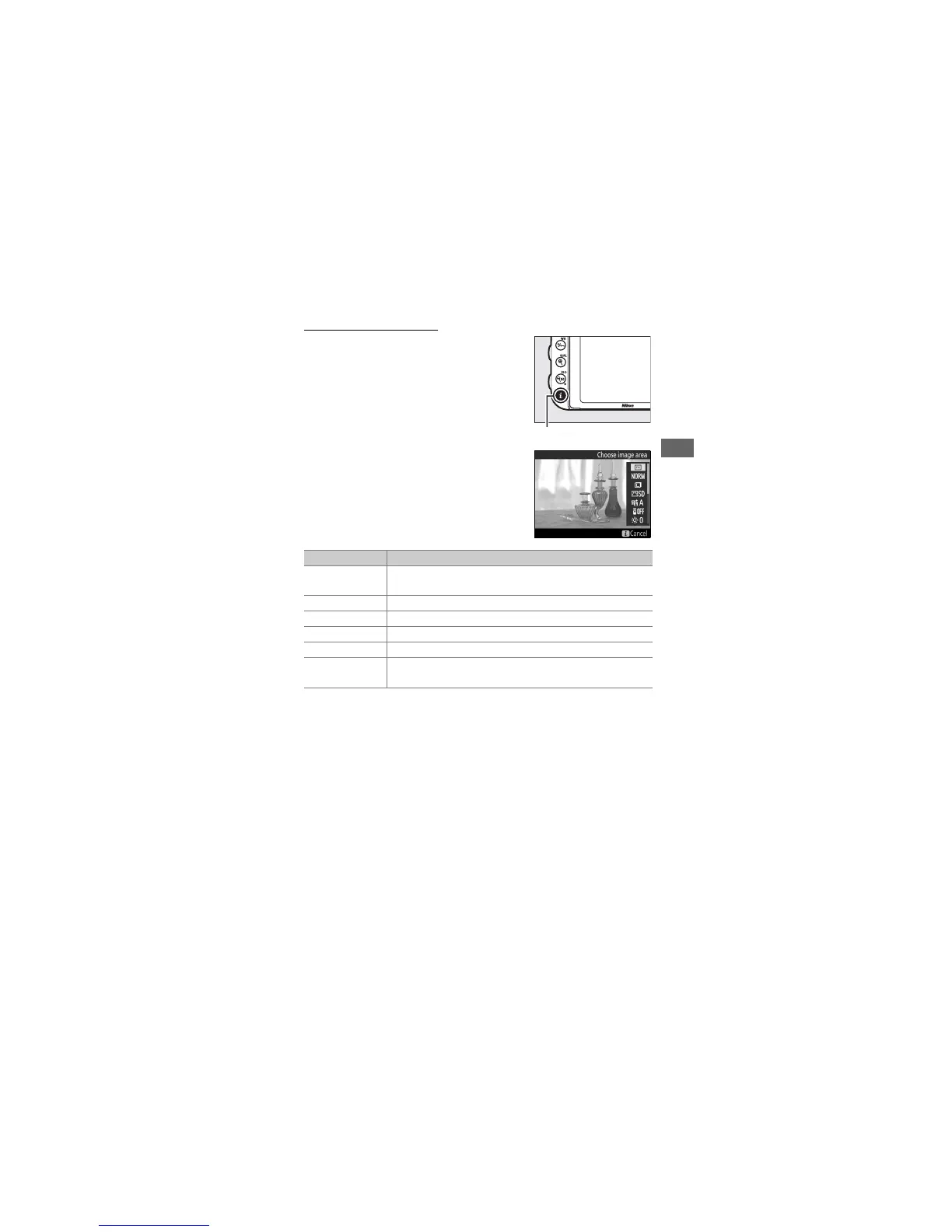
The options listed below can be
accessed by pressing the P button
during live view photography.
Highlight
items using the multi selector and press
2 to view options for the highlighted
item.
After choosing the desired setting,
press J to return to the P-button menu.
Press the P button again to exit to the
shooting display.
Option Description
Choose image area
Choose an image area for live view photography
(0 111).
Image quality Choose image quality (0 115).
Image size Choose image size (0 118).
Set Picture Control Choose a Picture Control (0 165).
Active D-Lighting Adjust Active D-Lighting (0 175).
Remote control
mode (ML-L3)
Choose a remote control mode (0 193).
P button



 To Next Page