20
Workfl ow
Before
Recording
Live View Menu Options Other Settings Recording
After
Recording
Autofocus and AF-Area Modes
Autofocus and AF-Area Modes
Choose how the camera selects the fo-
cus point and focuses when the focus-
mode selector is rotated to AF (autofo-
cus).
Focus mode selector
Selecting an Autofocus Mode
Selecting an Autofocus Mode
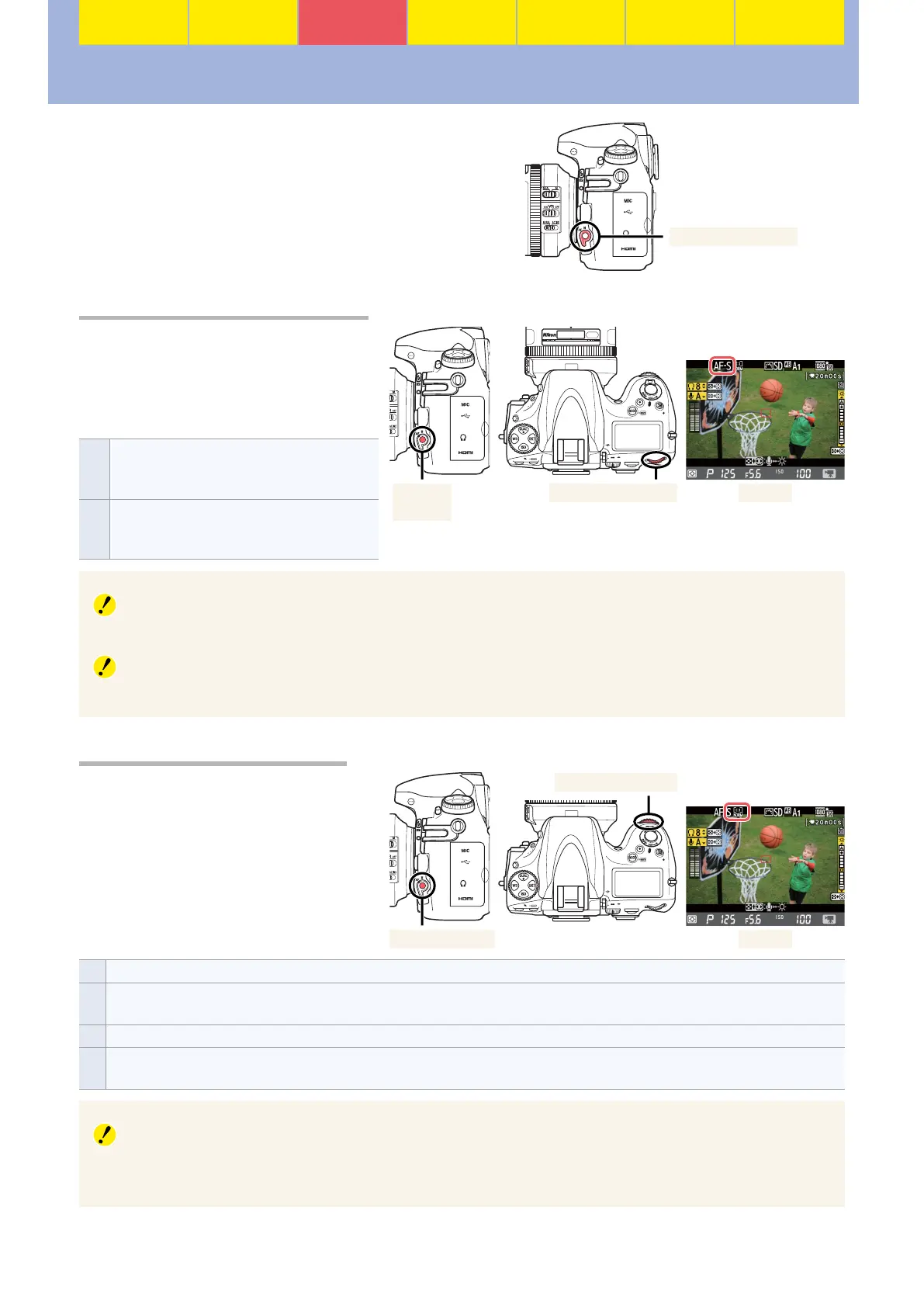
To select the autofocus mode in movie
live view, keep the AF-mode button
pressed and rotate the main command
dial until the desired option is dis-
played in the monitor.
AF-S
Single-servo AF: The camera focuses when the
shutter-release button is pressed halfway; focus
locks until the button is released.
AF-F
Full-time servo AF: The camera focuses continu-
ously until the shutter-release button is pressed.
Focus locks while the button is pressed halfway.
Main command dialAF-mode
button
Monitor
Audio
To avoid recording noises made by the lens during focusing, use an optional ME-1 stereo microphone.
Full-Time Servo AF
Full-time servo AF may produce perceptible changes in focus even when the subject is stationary.
Selecting an AF-Area Mode
Selecting an AF-Area Mode
To select the AF-area mode in movie
live view, keep the AF-mode button
pressed and rotate the sub-command
dial until the desired option is dis-
played in the monitor.
AF-mode button Monitor
Sub-command dial
!
Face-priority AF: The camera focuses on faces. The desired subject can be selected from up to 35 faces using the multi selector.
5
Wide-area AF: Choose for hand-held shots of landscapes and other non-portrait subjects. The focus point can be positioned using
the multi selector.
6
Normal-area AF: Use for pin-point focus on the area selected with the multi selector.
&
Subject-tracking AF: Position the focus point over your subject and press the center of the multi selector to begin tracking the subject
as it moves through the frame. To end tracking, press the center of the multi selector again.
Test Footage
Film test footage under actual shooting conditions to ensure that the selected settings produce the
desired results.






 To Next Page