42
Workfl ow
Before
Recording
Live View Menu Options Other Settings Recording
After
Recording
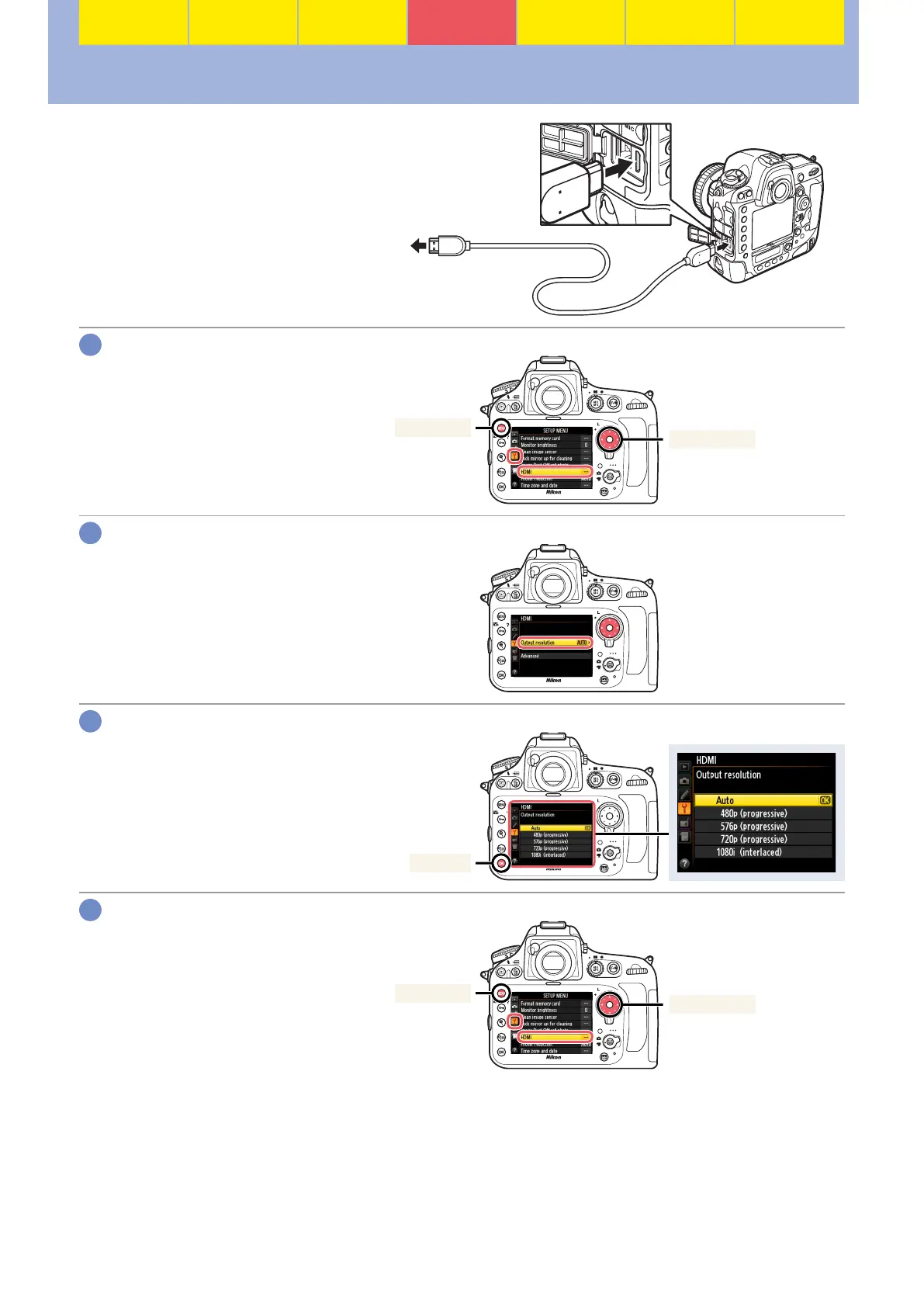
HDMI
The HDMI option in the setup menu
controls HDMI output when the cam-
era is connected to an HDMI device as
shown at right.
BSETUP MENU> HDMI
Connect to
HDMI device
Select HDMI.
Press G to display the menus,
then highlight HDMI in the setup
menu and press 2.
Multi selector
G button
Select Output resolution.
Highlight Output resolution and
press 2.
Select an option.
Highlight an option and press J.
Auto is the recommended option;
other settings should be used only
if Auto does not produce the de-
sired results.
J button
Select HDMI again.
Confi rm that HDMI is highlighted
in the setup menu and press 2.
Multi selector
G button
1
2
3
4





 To Next Page