47
Checking Focus, Continued
Workfl ow
Before
Recording
Live View Menu Options Other Settings Recording
After
Recording
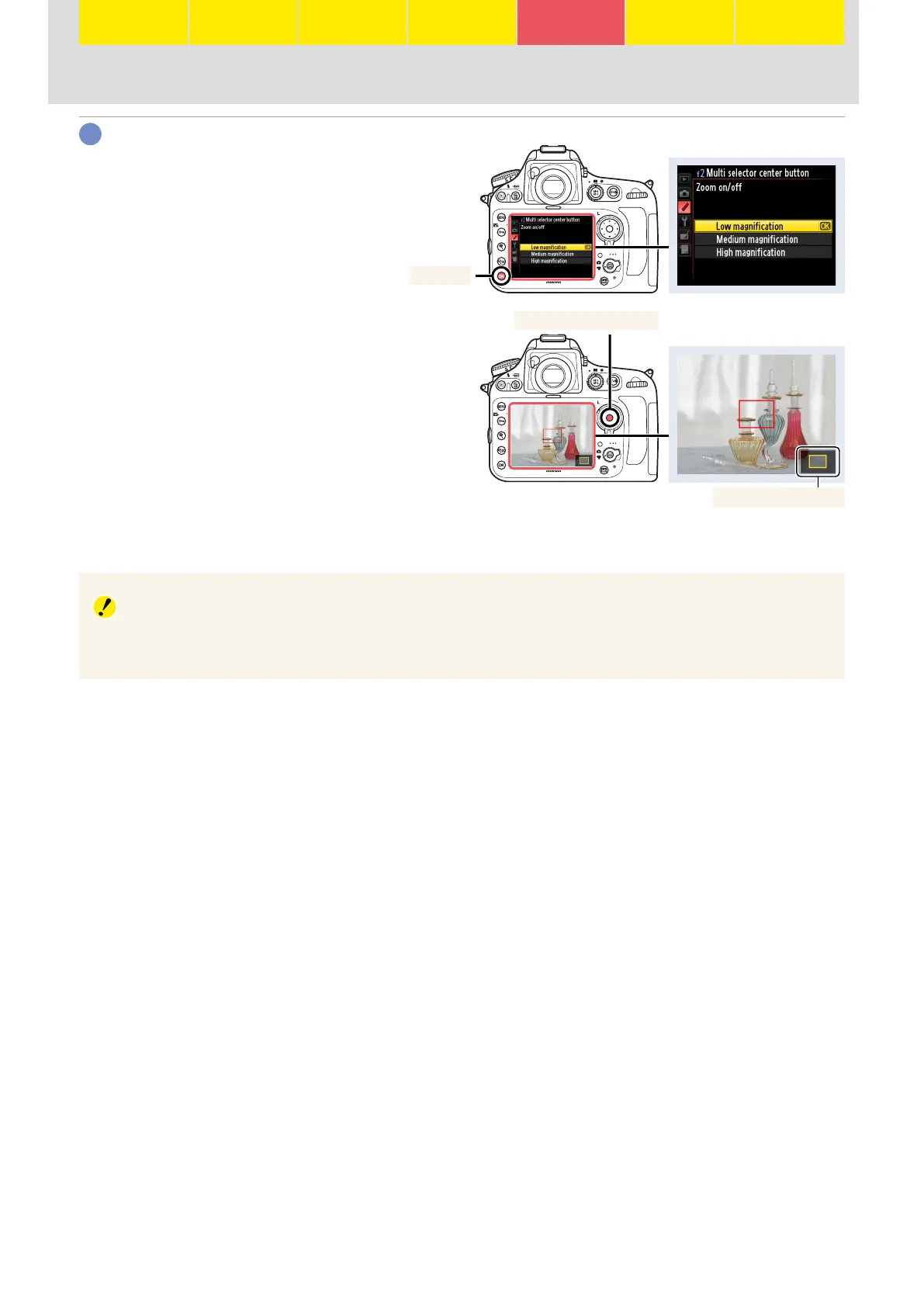
Choose the starting zoom amount.
Highlight an option and press J.
J button
Once control assignment is complete,
you can zoom in on the current focus
point by pressing the center of the
multi selector (note that focus zoom
is not available during movie record-
ing). While the view through the lens
is zoomed in, a navigation window is
displayed in the lower right corner of
the monitor. Press the control again to
cancel zoom.
Navigation window
Center of multi selector
Subject Tracking
In subject-tracking AF, pressing the center of the multi selector locks tracking on the subject in the
focus point. To zoom in on your subject and check focus, use the X button.
4





 To Next Page