EasyManua.ls Logo

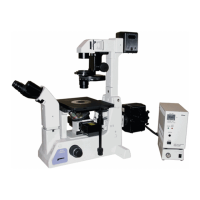
Nikon ECLIPSE TE2000-E - User Manual

Nikon ECLIPSE TE2000-E
74 pages
Print Icon
To Next Page IconTo Next Page
Loading...
M314E 04.7.CF.3(1/5)
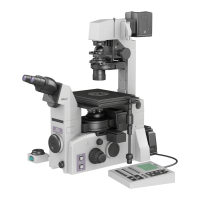
Inverted Microscope
ECLIPSE TE2000-E
ECLIPSE TE2000-U
ECLIPSE TE2000-S
Instructions

Questions and Answers

  • C
    Chelsea HansonSep 10, 2025
    Why doesn't the brightness adjustment dial work on the power supply of my Nikon ECLIPSE TE2000-E?
    • A
      Anthony RiveraSep 10, 2025
      If the brightness adjustment dial on the power supply of your Nikon Microscope isn't working, the EXTERNAL switch on the power supply (CTRL switch when TE-PS30/TE-PSE30 is used) might be ON; turn it OFF.
  • D
    Derek RiversAug 23, 2025
    Why can't I focus with 20x and 40x objective on my Nikon ECLIPSE TE2000-E Microscope?
    • J
      jessicajonesAug 23, 2025
      If you cannot focus with 20x and 40x objectives on your Nikon Microscope, the bottom plate thickness of the container may be outside the correction range of the objective. Use a container with a bottom plate thickness within the correction range.
  • J
    Jason BellAug 25, 2025
    Why is the view field too bright on my Nikon Microscope?
    • A
      Andrea NelsonAug 25, 2025
      To address a view field that's too bright on your Nikon Microscope, first, insert an ND filter into the optical path. If the issue persists, lower the lamp voltage using the brightness adjustment dial.
  • C
    Christopher BlackAug 26, 2025
    How to improve poor image quality on Nikon ECLIPSE TE2000-E?
    • C
      ccrossAug 26, 2025
      If you're experiencing poor image quality, contrast, or resolution with your Nikon Microscope, start by cleaning the lens and container to remove any dirt or dust. Ensure the objective’s correction ring is correctly set to the bottom plate thickness of the container. If the issue continues, verify that the bottom plate thickness of the container is within the objective's correction range, or perform condenser focusing and centering correctly.
  • S
    Sharon ThompsonAug 27, 2025
    What to do if the view field is too dark on my Nikon ECLIPSE TE2000-E Microscope?
    • H
      Heather MoraAug 28, 2025
      If your Nikon Microscope's view field is too dark, the condenser aperture diaphragm may be stopped down too far; normally, it should be set to 70 to 80% of the objective N.A. Also, ensure the field diaphragm image is correctly focused on the specimen surface by performing condenser focusing and centering. Finally, check that the optical path switchover dial is set to 100% observation.
  • M
    Miss Karen NelsonAug 29, 2025
    Why does the image flow on my Nikon Microscope?
    • J
      justin74Aug 29, 2025
      If your Nikon Microscope image flows, make sure the specimen is correctly positioned on the stage. Also, ensure the revolving nosepiece is correctly installed and rotated to the click stop position. In addition, center the condenser annular diaphragm and raise the dia-illuminator till it hits the limit.
  • K
    Kristen MartinezSep 18, 2025
    What to do if focus adjustment doesn't work on my Nikon ECLIPSE TE2000-E Microscope?
    • A
      andrearamosSep 18, 2025
      If there is no focus adjustment when the selector switch on the T- EFN focus knob is switched on (only when the TE2000-E is used) for your Nikon Microscope, the knob connection cable may not be connected or is improperly connected. Connect the cable properly.
  • R
    rstoneSep 12, 2025
    What causes uneven focus on a Nikon Microscope?
    • T
      Tony CruzSep 12, 2025
      If you're experiencing uneven focus with your Nikon Microscope, the revolving nosepiece may not be installed correctly or not rotated to the click stop position. Install it correctly and rotate it to the click stop position.
  • C
    Christina CollinsSep 8, 2025
    What causes the dia-illumination ON/OFF switch to not work on my Nikon ECLIPSE TE2000-E Microscope?
    • J
      Joshua ColemanSep 8, 2025
      If the Dia-illumination ON/OFF switch on your Nikon Microscope isn't working, the lamp might be burnt out; replace it with a specified lamp. Additionally, ensure the control cable is properly connected.
  • M
    Matthew ReynoldsSep 5, 2025
    What to do if Nikon ECLIPSE TE2000-E image is not in focus?
    • L
      Lucas HancockSep 5, 2025
      If your Nikon Microscope image is not in focus even when the objective is raised to the highest position, ensure the stage is mounted correctly. Also, check if the objective refocusing ring is clamped; if so, release the clamp by turning the ring counterclockwise to the limit.

Summary

WARNING

Intended use of the equipment

Specifies the primary applications and environments for the microscope.

Heat from the light source

Warning about the hot components of the illumination system.

Hazardous sample

Guidelines for handling potentially hazardous biological or chemical samples.

CAUTION

Check the combination of the lamp, dia-illuminator and power supply

Ensures correct component pairing for safety and performance.

Cautions on lamp replacement

Safety procedures and tips for replacing the microscope lamp.

Cautions on moving the microscope

Advice on how to safely transport the microscope.

Notes on handling the microscope

Handle the microscope gently

Emphasizes careful manipulation to preserve precision.

Installation location

Recommendations for choosing a suitable environment for the microscope.

Focusing knobs

Guidance on proper use of focus controls to avoid damage.

I. Parts of the microscope and their names

Eyepiece tubes and eyepieces

Details on different eyepiece tube types and their features.

Microscope base

Description of the main structural support and housing of the microscope.

Dia-illuminators

Explains the function and types of illumination systems.

Condensers

Describes the role and types of condensers used in microscopy.

Stages, focusing module

Details on the specimen stage and focusing mechanisms.

Power supplies

Information on the electrical power units for the microscope.

II. Microscopy

Bright-field (BF) microscopy

Procedure for standard bright-field observation.

Phase-contrast (Ph) microscopy

Procedure for phase contrast imaging.

Bright-field (BF) microscopy

Procedure for standard bright-field observation.

Phase-contrast (Ph) microscopy

Procedure for phase contrast imaging.

Bright-field (BF) microscopy

Procedure for standard bright-field observation.

Phase-contrast (Ph) microscopy

Procedure for phase contrast imaging.

Photomicrography (using a 35-mm camera mounted on the front port)

Guide for capturing images with a film camera.

III. Operation of each part

Power ON; OFF

Steps for turning the microscope and its accessories on and off.

Brightness adjustment

Methods for controlling the illumination intensity.

Optical path switching

How to direct the light path to different ports.

Using filters

Description of available filters and their applications.

Using field diaphragm

How to adjust the field diaphragm for optimal illumination.

Using condenser aperture diaphragm

Guidance on adjusting the aperture diaphragm for contrast and resolution.

Eyepiece tube turret

Describes the function of the turret for different observation modes.

System condenser

Information on the versatile condenser system.

Objectives

Details on the microscope objectives and their features.

Diopter adjustment

Procedure for adjusting eyepieces for user's vision.

Focusing module

Explanation of the focusing mechanisms.

T-DH dia-illuminator 100 W

Specific information on this illumination unit.

T-SR rectangular stage

Description of the specimen stage.

Photomicrography

General guide to taking photographs with the microscope.

IV. Assembly

Checking the power supply voltage

Important step to ensure correct voltage connection.

Eyepiece tube

Steps for attaching and setting up the eyepiece tube.

Revolving nosepiece

Instructions for attaching and using the objective nosepiece.

Dia-illuminator

Guide for mounting and connecting the dia-illuminator.

Lamp installation (lamp exchange)

Detailed procedure for replacing the microscope lamp.

Condenser

Instructions for attaching and configuring the condenser.

Power supply

Steps for connecting the electrical power supply.

Front port

How to use the front port for attachments.

Side port

How to use the side port for attachments.

V. Troubleshooting

Optical

Troubleshooting issues related to image quality and optics.

Operational

Troubleshooting problems related to microscope functionality.

Electrical

Troubleshooting issues related to power and electronic components.

VI. Care and maintenance

Lens Cleaning

Proper methods for cleaning microscope lenses and filters.

Cleaning the microscope

General cleaning procedures for the microscope body.

Disinfecting the microscope

Recommendations for disinfecting the instrument.

Storage

Advice on storing the microscope and its accessories.

VII. Technical specifications

Conforming standards

Lists the regulatory standards the equipment meets.

System diagram

Nikon ECLIPSE TE2000-E Specifications

General IconGeneral
TypeInverted Microscope
Optical SystemCFI60 Infinity Optical System
Objective TurretMotorized
Illumination100W Halogen Lamp
StageMechanical stage
Camera CompatibilityCompatible with various digital cameras
ObjectivesCFI60 series objectives
FocusingCoarse and fine focusing knobs
Nosepiece6-position nosepiece
Eyepiece TubeTrinocular or binocular
Eyepiece10x
Power Supply100-240V AC

Related product manuals