103
Menu Guide
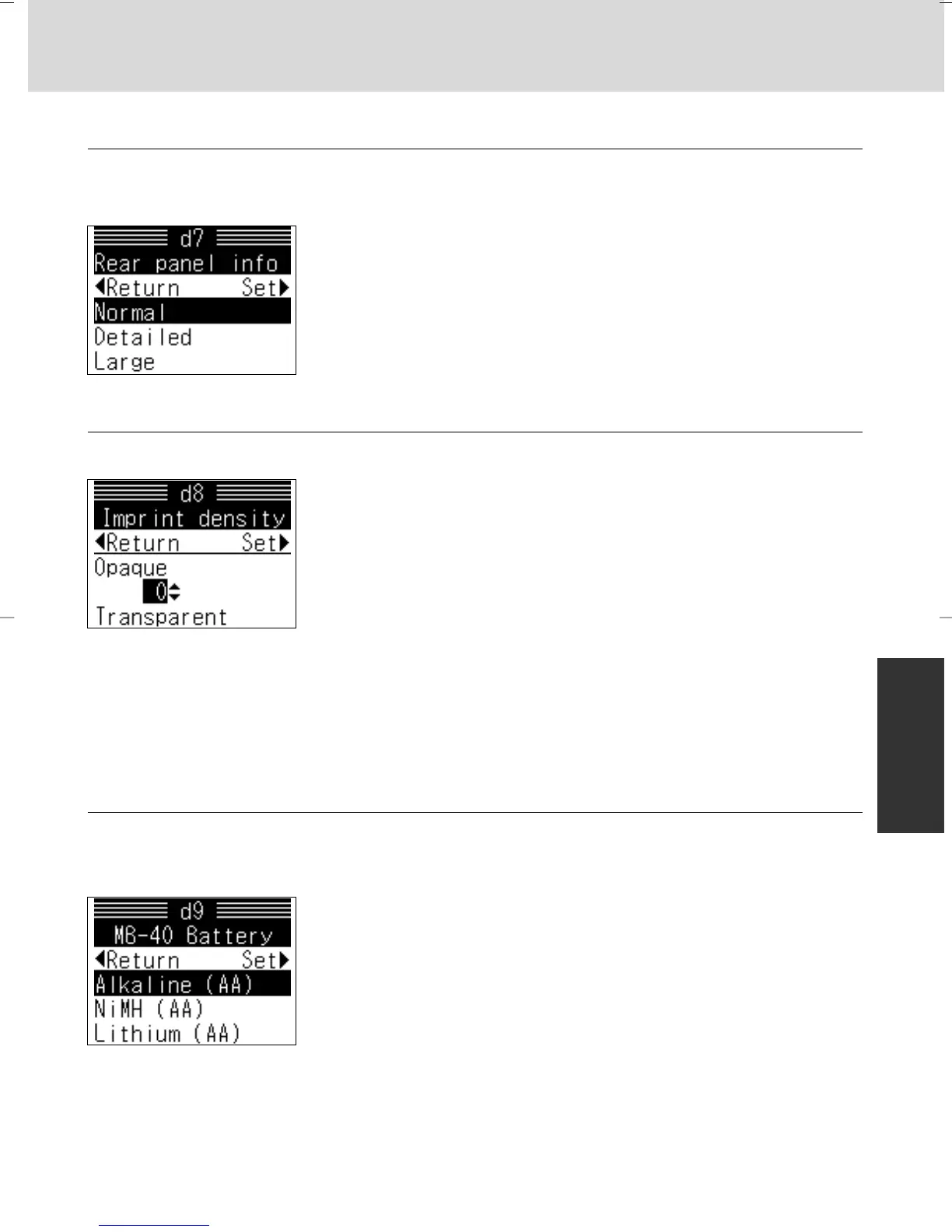
d7: Rear panel x 10
The display on the rear LCD panel can be changed (from normal) to detailed
display or large display.
Options:
Normal
Detailed
Large
d8: Imprint density x 136
The darkness of data imprint can be adjusted in five levels.
Options:
+2: Darker than +1
+1: Darker
0: Default
–1: Lighter
–2: Lighter than –1
d9: MB-40 Battery x 19, 166
Specify battery type so the battery power indication is displayed correctly
when the Multi Power Battery Pack MB-40 (optional) is used.
Options:
Alkaline (AA): AA-type alkaline-manganese
NiMH (AA): AA-type Ni-MH
Lithium (AA): AA-type lithium
Adjusting setting:
• Press > on the multi-selector after selecting “Imprint density”. Display for setting
appears.
• Press P/{ to select darkness and > to set.
• No specification is needed when using optional Rechargeable Li-ion Battery EN-EL4
(with optional Battery Chamber Cover BL-3).
P930_En 04.10.19 7:19 PM Page 103



 To Next Page