117
Menu Guide
4
Complete the procedure.
• Press < to backtrack display by display, or press MENU button twice to return
to the Shooting data display.
Make sure to set date/time (x 35) before setting the shooting data
recording.
Recording capacity (number of 36-frame film rolls)
• In Basic recording mode: approx. 57 rolls
• In Detailed recording mode: approx. 31 rolls
• Select operation when camera’s memory is full (overwrite shooting data without
warning or warning is displayed and shutter is locked without overwriting) in
“Shooting data menu: Stop data rec.” in SET-UP menu, x 119.
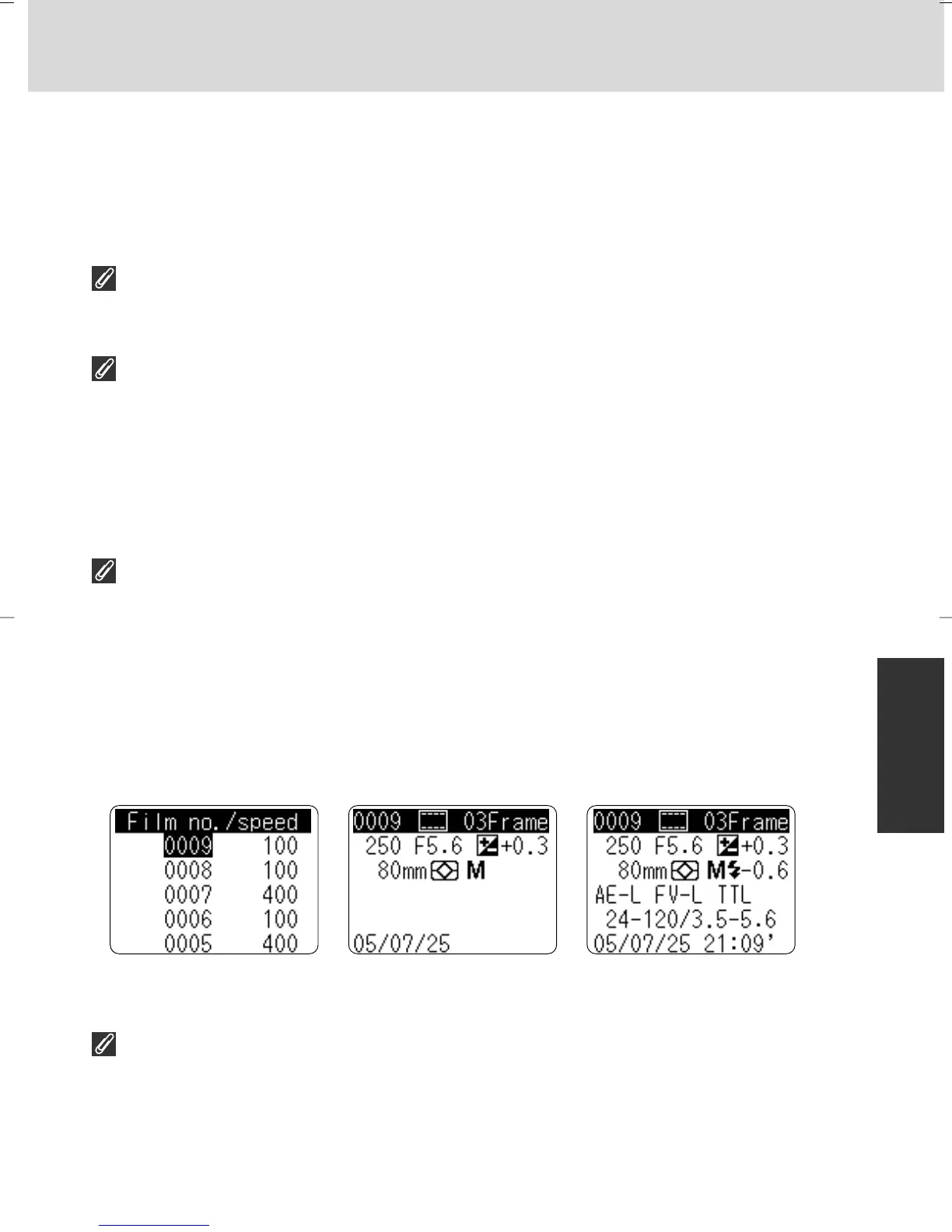
Sample of shooting data displays
• When displaying shooting data in the rear LCD panel (x 122), film data and frame
data are displayed separately.
• Following data are not displayed but recorded (x 124):
• ID number
• Flash sync mode
• EV difference in Manual
• Advanced Lighting System and Auto FP High-Speed Sync in Speedlight
•VR
Data is recorded at first exposure in multiple exposure (x 138).
Film data Frame data
(basic recording mode)
Frame data
(detailed recording mode)
P930_En 04.10.19 7:19 PM Page 117



 To Next Page