99
Menu Guide
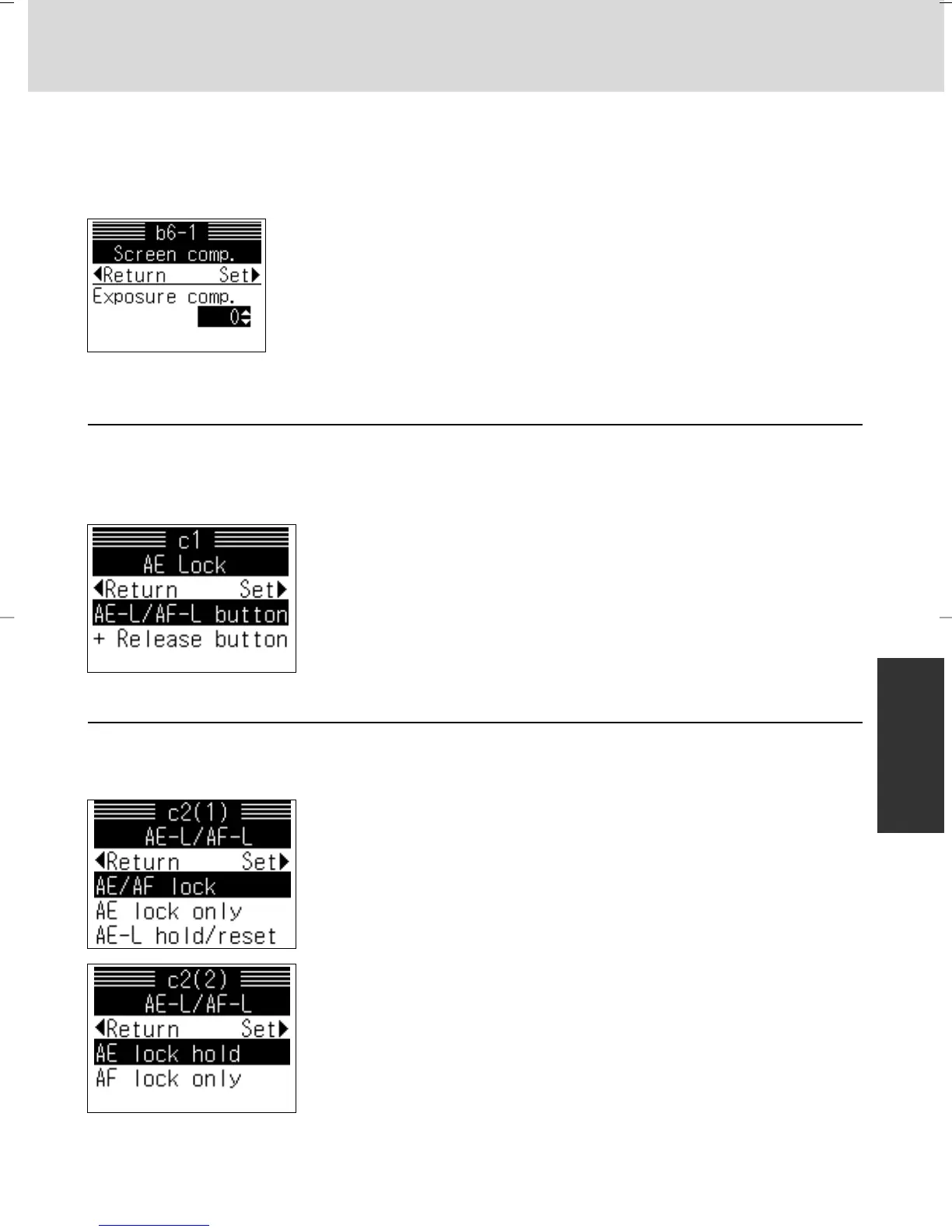
c1: AE Lock x 72
At the default setting, exposure is locked when AE/AF-L button is pressed.
Exposure can also be set to be locked by pressing the shutter release button.
Options:
AE-L/AF-L button: Exposure locked with AE/AF-L button
only
+ Release button: Exposure locked with either AE/AF-L
button or shutter release button
c2: AE-L/AF-L x 58, 72
At the default setting, pressing the AE/AF-L button locks both exposure and
focus. This can be changed as following.
Options:
AE/AF lock: Both exposure and focus are locked
AE lock only: Only exposure is locked
AE-L hold/reset: Exposure remains locked until shutter is
released, exposure meter is off or AE/AF-L button is
pressed again
AE lock hold: Exposure remains locked until exposure meter
is off or AE/AF-L button is pressed again (pressing
shutter release button does not release the lock)
AF lock only: Only focus is locked
• Press > on the multi-selector after selecting “Other
screen”. Display for setting compensation value appears.
• Press P/{ to select compensation value and > to set.
• Setting compensation value
Exposure can be compensated up to ±2 EV in 1/2 steps (see the instruction
manual of the focusing screen for the required compensation value).
P930_En 04.10.19 7:19 PM Page 99



 To Next Page