23
En
Fr
Measuring with 2 points mode
Before starting the measurement, set the measurement display mode to “2 points mode”. See page 21
for more information.
1. Press the PWR button to turn on the power.
• When the laser rangefinder is on standby, flashes in the internal display.
2. Aim at the first point of the target, and then press the PWR button
to measure.
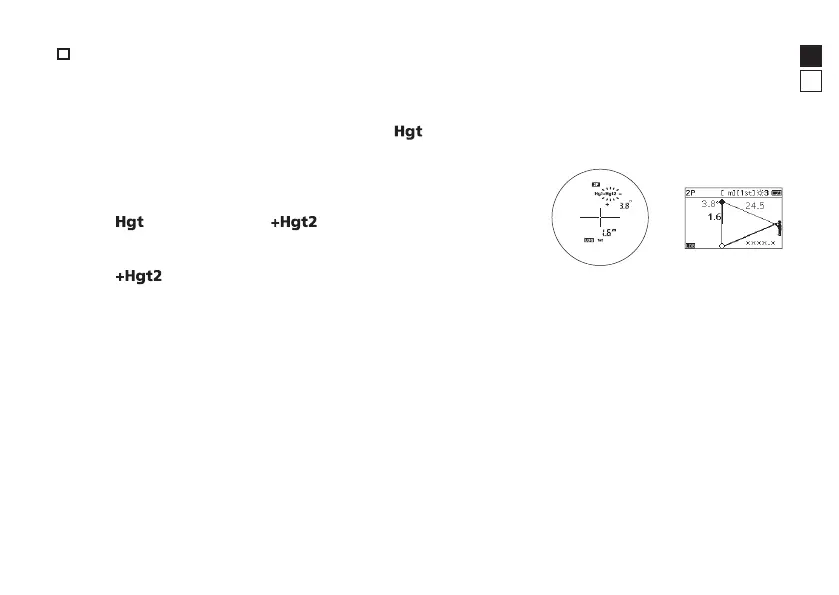
• The measurement result of the first point is displayed as
shown on the right.
•
stops flashing and starts flashing.
3. Aim at the 2nd point of the target, and then press the PWR
button to measure.
• stops flashing and the measurement result is displayed.
See page 20 for more information on the display content.
Internal display External display





 To Next Page