EasyManua.ls Logo

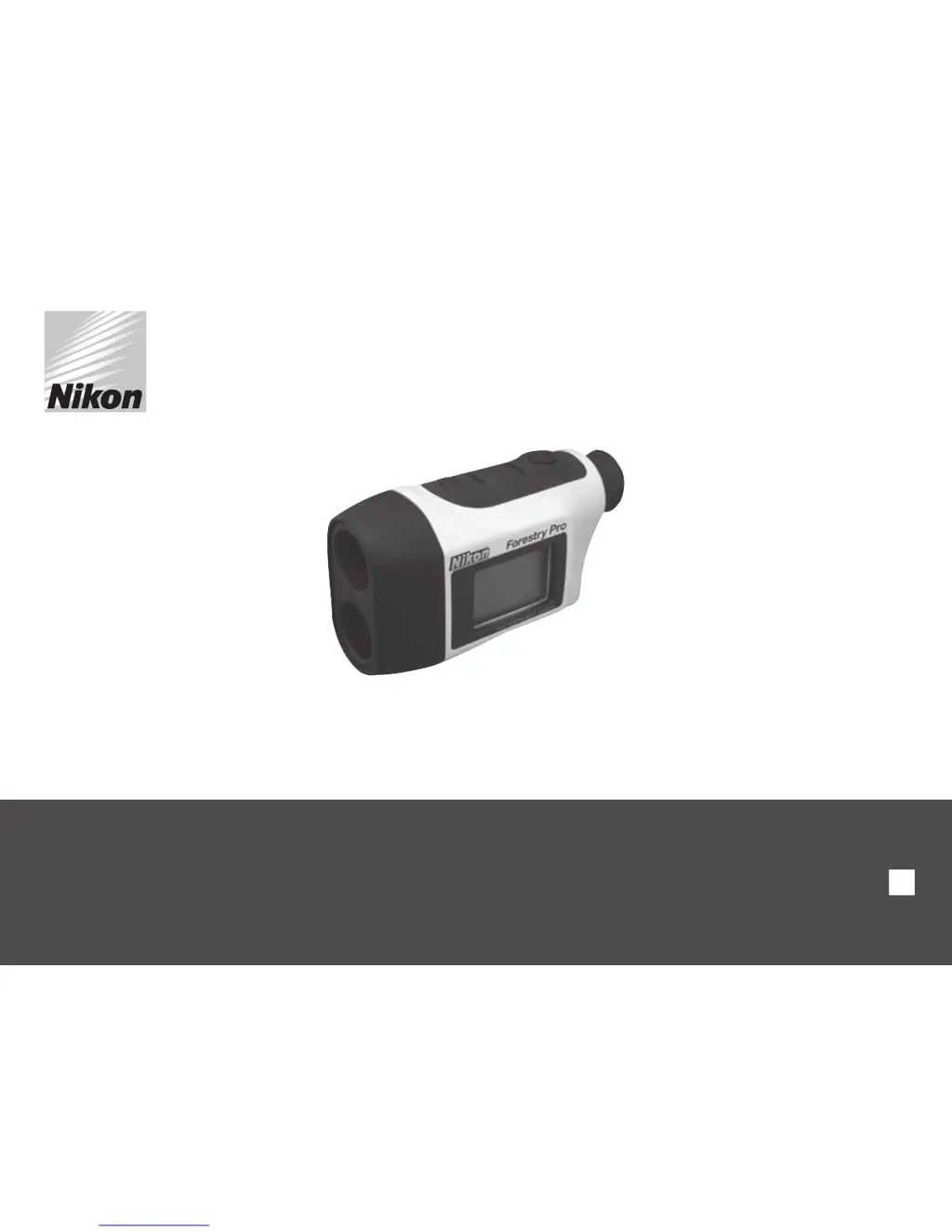
Nikon Forestry Pro - User Manual

Nikon Forestry Pro
19 pages
Print Icon
To Next Page IconTo Next Page
Loading...
Forestry Pro
Instruction manual
En

Other manuals for Nikon Forestry Pro

Questions and Answers

  • J
    Jason ValdezJul 26, 2025
    What to do if Nikon Forestry Pro unit does not turn on?
    • B
      Brian JohnsonJul 26, 2025
      If the Nikon Measuring Instruments unit fails to illuminate, first, depress the power button. If it still doesn't turn on, check and replace the batteries if necessary.
  • A
    Angelica TaylorJul 31, 2025
    Why Nikon Forestry Pro Measuring Instruments display incorrect result?
    • T
      tphillipsJul 31, 2025
      If the Nikon Measuring Instruments displays an incorrect result, try replacing the battery. Also, ensure that the target's shape and condition are appropriate for reflecting the laser beam and make sure that there are no obstructions like leaves or grass between the device and the target.
  • E
    eramirezAug 4, 2025
    How to fix unstable measurement result on Nikon Forestry Pro Measuring Instruments?
    • Z
      zperezAug 4, 2025
      If the result is unstable on your Nikon Measuring Instruments, try the following: * Replace the battery. * Ensure the target shape and condition are suitable for laser beam reflection. * Hold the unit steady while pressing the power button. * Confirm nothing like leaves or grass obstructs the path between the device and the target.
  • F
    fmillerAug 8, 2025
    What to do if target range cannot be obtained on Nikon Forestry Pro Measuring Instruments?
    • E
      erika58Aug 9, 2025
      If you cannot obtain the target range with your Nikon Measuring Instruments, make sure that your hand or finger is not blocking the laser emission aperture and laser detector. Ensure that the laser emission aperture and laser detector are clean; clean them if necessary. Also, verify that the target shape and condition are appropriate to reflect the laser beam.
  • J
    John PetersonAug 12, 2025
    Why is my Nikon Forestry Pro Measuring Instruments measurement result unstable?
    • C
      Christopher ConradAug 12, 2025
      An unstable measurement result from your Nikon Measuring Instruments device can occur due to several reasons. Ensure the target shape and condition are appropriate for reflecting the laser beam. Hold the unit steady while pressing the POWER button. Also, make sure there are no obstructions like leaves or grass between the device and the target. If the issue persists, try replacing the battery.
  • M
    Melissa WolfeAug 16, 2025
    What to do if my Nikon Measuring Instruments displays an incorrect result?
    • A
      Alejandro SchmidtAug 17, 2025
      If your Nikon Measuring Instruments device is displaying an incorrect result, first, replace the battery. Then, ensure that the target's shape and condition are suitable for reflecting the laser beam. Lastly, check for any obstructions like leaves or grass between the device and the target.
  • C
    Christopher RodgersAug 21, 2025
    How to fix Nikon Measuring Instruments when it does not turn on?
    • B
      Bradley McculloughAug 21, 2025
      If your Nikon Measuring Instruments unit does not turn on and the LCD fails to illuminate, try depressing the POWER button. If that doesn't work, check the batteries and replace them if necessary.

Summary

Cautions Before Use

Safety and Operation Precautions

Essential safety guidelines and precautions for proper and safe operation of the device.

Key Features

Nomenclature and Composition

Changing Batteries

Step-by-step guide on how to replace the battery in the device.

Internal Display

Operational Summary

Switching Target Priority Modes

Instructions on how to select between First Target Priority and Distant Target Priority modes.

Low Battery Indication

How to identify and respond to a low battery warning.

Specifications

Others

Additional specifications and operational parameters not covered elsewhere.

External Display

Operation and Internal Display Modes

Power On;Off and Mode Settings

How to turn the device on/off and select measurement modes.

Linear Distance Mode

Operation for measuring linear distance to a target.

Horizontal Distance Mode

Operation for measuring horizontal distance.

Height Mode

Operation for measuring height.

Angle Mode

Operation for measuring angles.

Vertical Separation Mode

Operation for measuring vertical separation between two points.

Three-Point Measurement Mode

Operation for measuring height between three points.

Troubleshooting and Repair

How to Use the Rangefinder Case

Nikon Forestry Pro Specifications

General IconGeneral
Exit pupil3.5 mm
Eye relief18.2 mm
Laser class1M
Magnification6 x
Measurement range10 - 500 m
Objective diameter21 mm
Real field of view6 °
Battery typeCR2
Battery voltage3 V
Number of batteries supported1
Tripod includedNo
CertificationFCC Part15 SubPartB class B, EU:EMC directive, AS/NZS, VCCI class B\\r RoHS, WEEE
Weight and Dimensions IconWeight and Dimensions
Weight210 g
Dimensions (WxDxH)130 x 69 x 45 mm

Related product manuals