22 23
En En
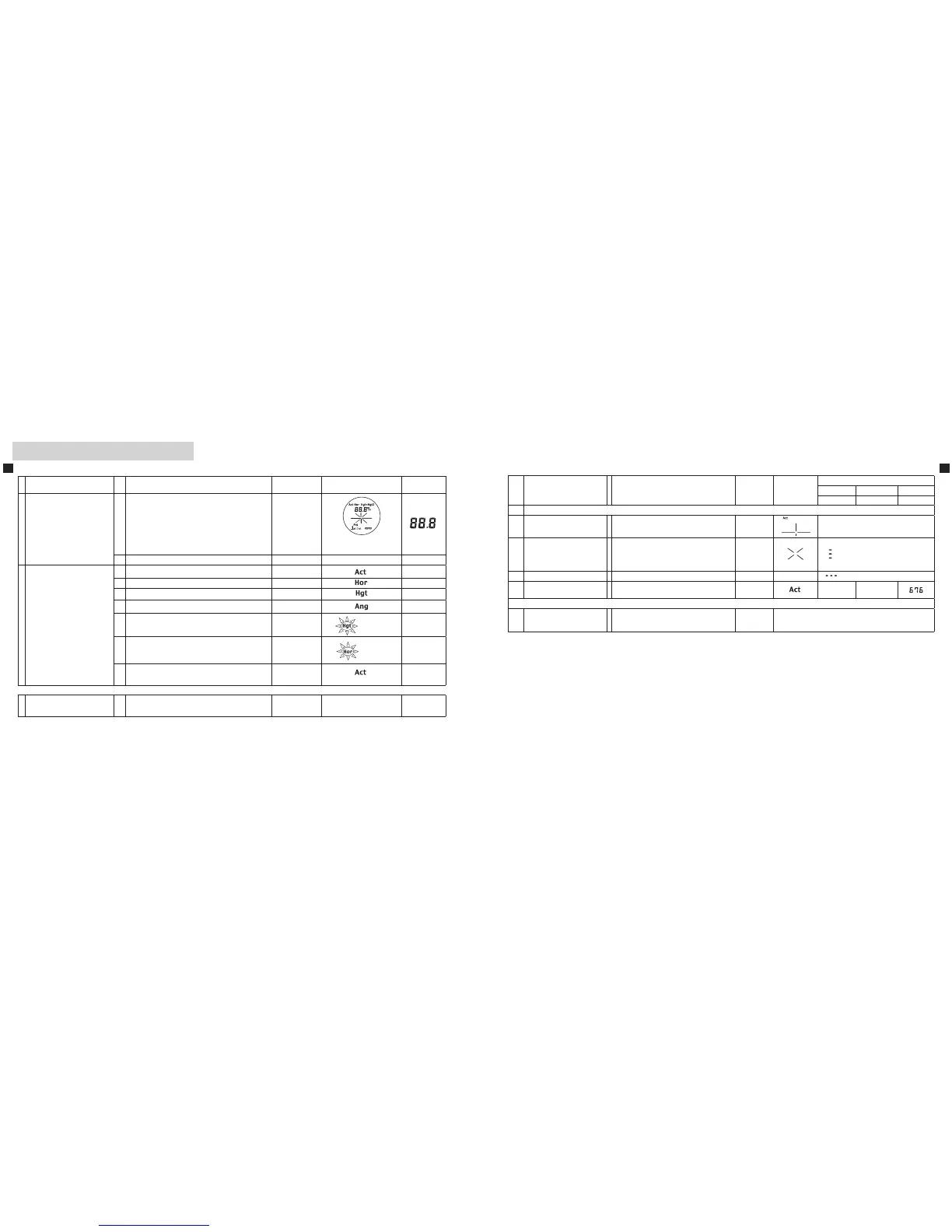
【1 • 2】 Power On/Off and mode settings
Operation and internal display
Operation/Results Work Button Display
Display
examples
1
Power On
Measurementstandby
Initial screen
POWER
All symbols
(while pressing)
Measurementstandby Last Use mode symbol
2
Selecting and setting modes
(1) Linear distance 【3】
n/a
(2) Horizontal distance 【4】
MODE
n/a
(3) Height (from horizontal)【5】
MODE
n/a
(4) Angle (from horizontal)【6】 MODE
n/a
(5)
Vertical separation
(height between two points)【7】
MODE
blinks
n/a
(6)
Three-point measurement 【8】
(height between two points)
MODE
blinks
n/a
Return to 2-(1) Linear distance, then repeat.
n/a
See the relevant section in this manual for each mode setting and display.
9 Power off
Regardless of process, after 30 seconds since your
last operation, power turns off.
30 seconds
without
operation
【3】 Linear distance mode
Operation/Results Work Button Display
Display examples
meter yards feet
Elevation (˚) Depression (˚)
3 MeasurementwithLineardistancemode
3-1
Seeking your target
(Align the reticle with target)
Linear distance
3-2
Measurement
(Laser irradiate symbol is
displayed.)
WiththePOWERbuttondepressed,
continuous measurement is possible for
up to 20 seconds.
(Whendone,3-3displayappears.)
POWER
3-3 Failure to measure Repeat step 3-1.
3-4 MeasurementOK
Linear distance
Follow by 3-1.
206 225
9 Power off
Regardless of process, after 30 seconds
since your last operation, power turns off.
30 seconds
without
operation











 To Next Page